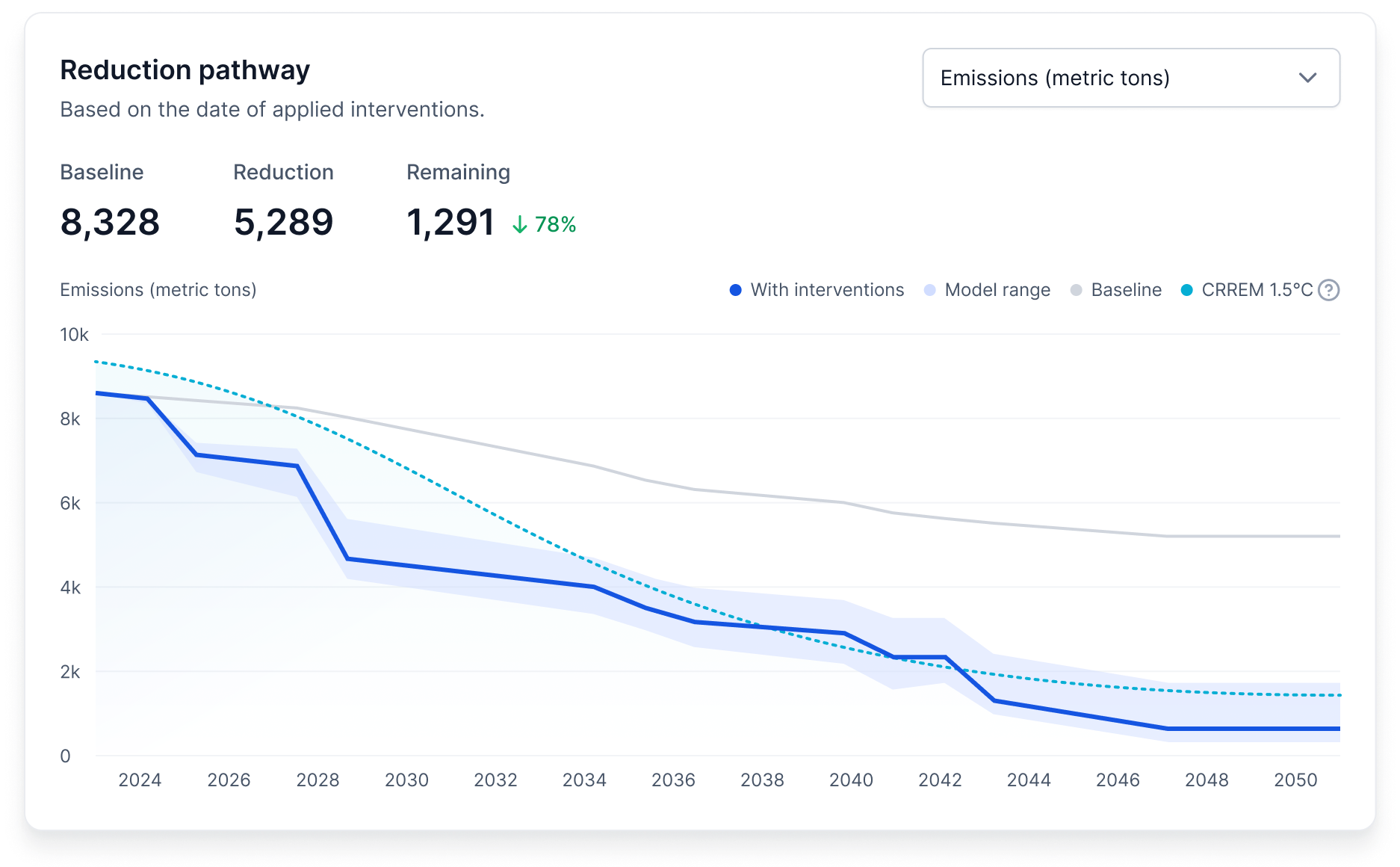
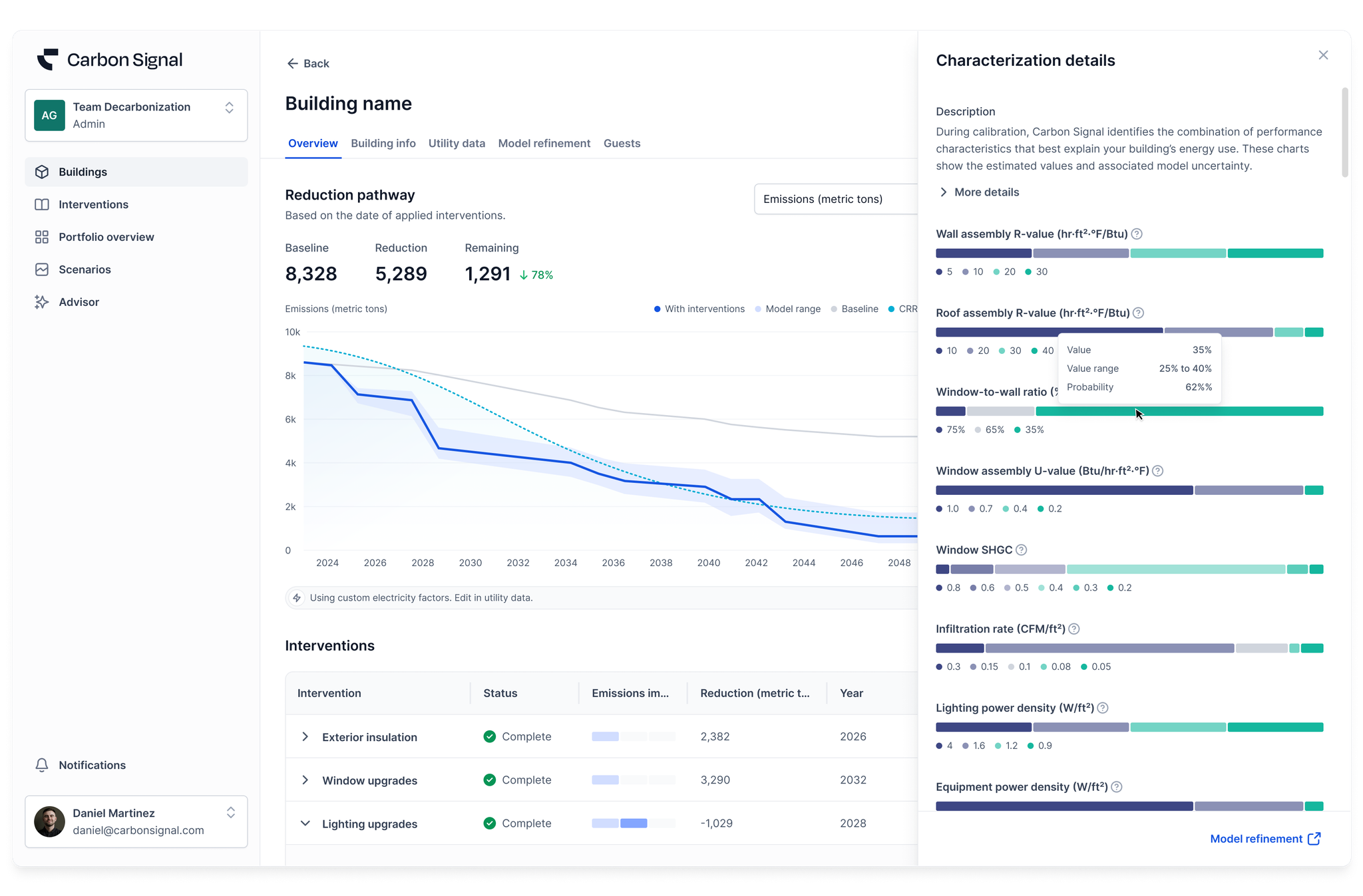
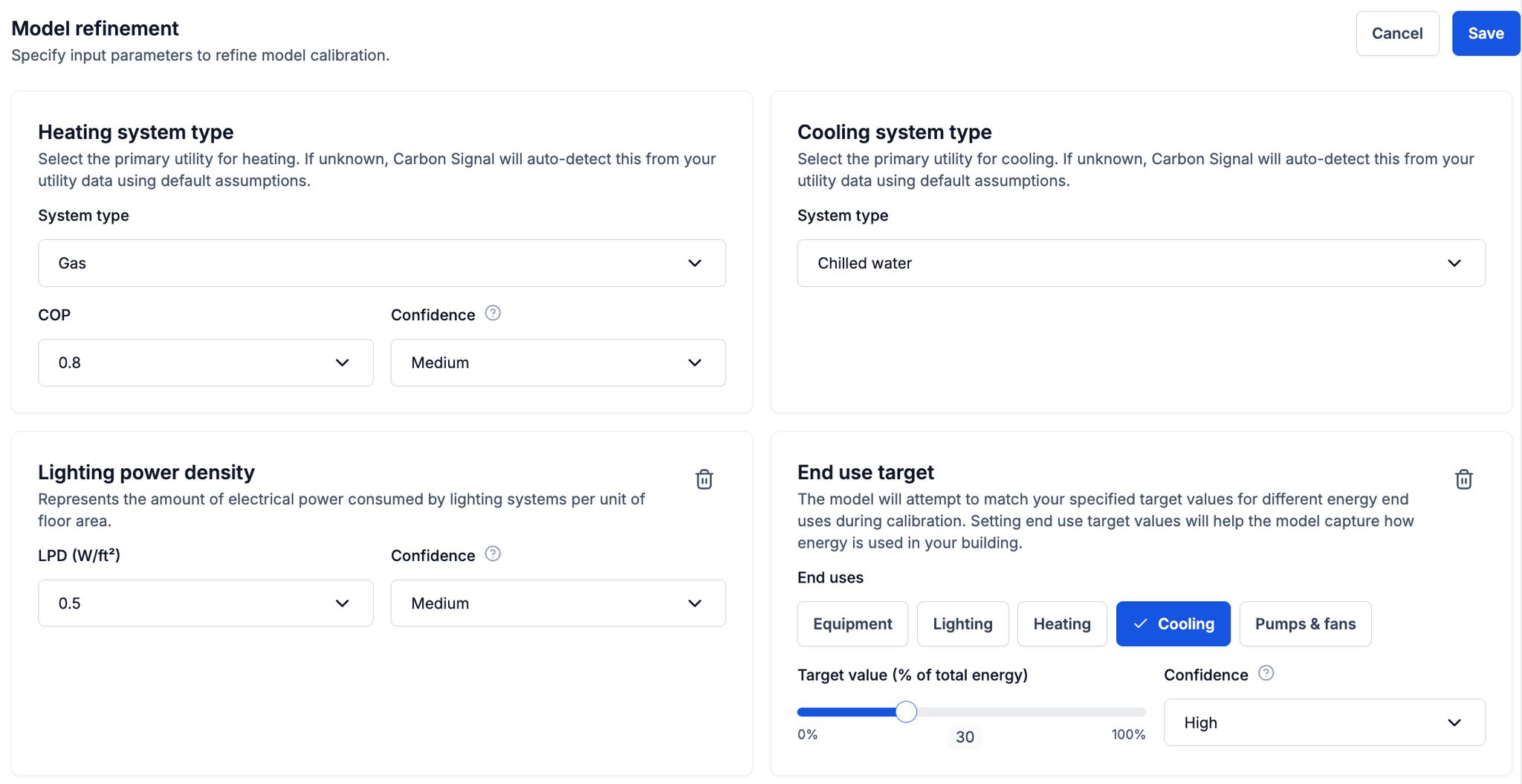
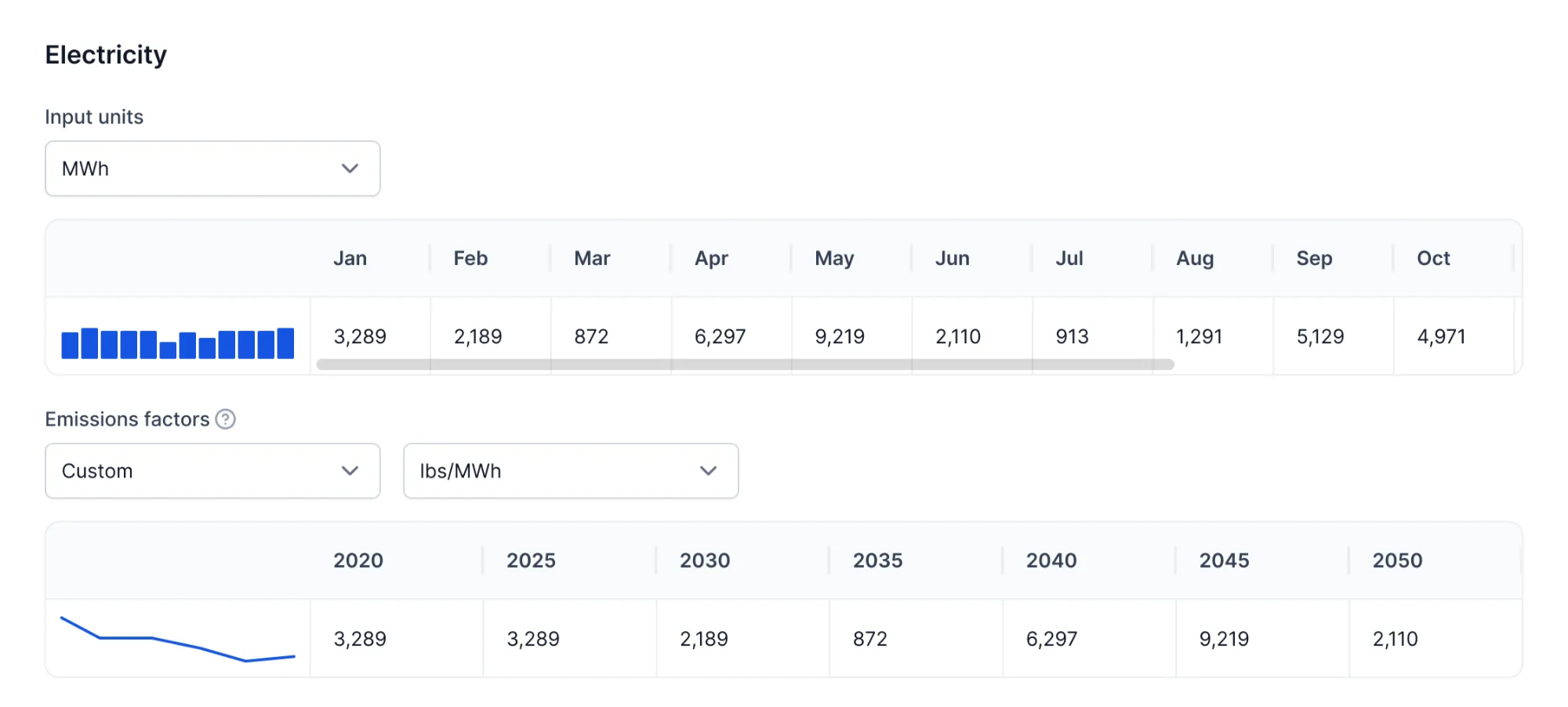
This release introduces new benchmarking capabilities that provide greater context around building performance, allowing you to compare buildings against both industry standards and other buildings within your own portfolio.
ASHRAE 100 Standards
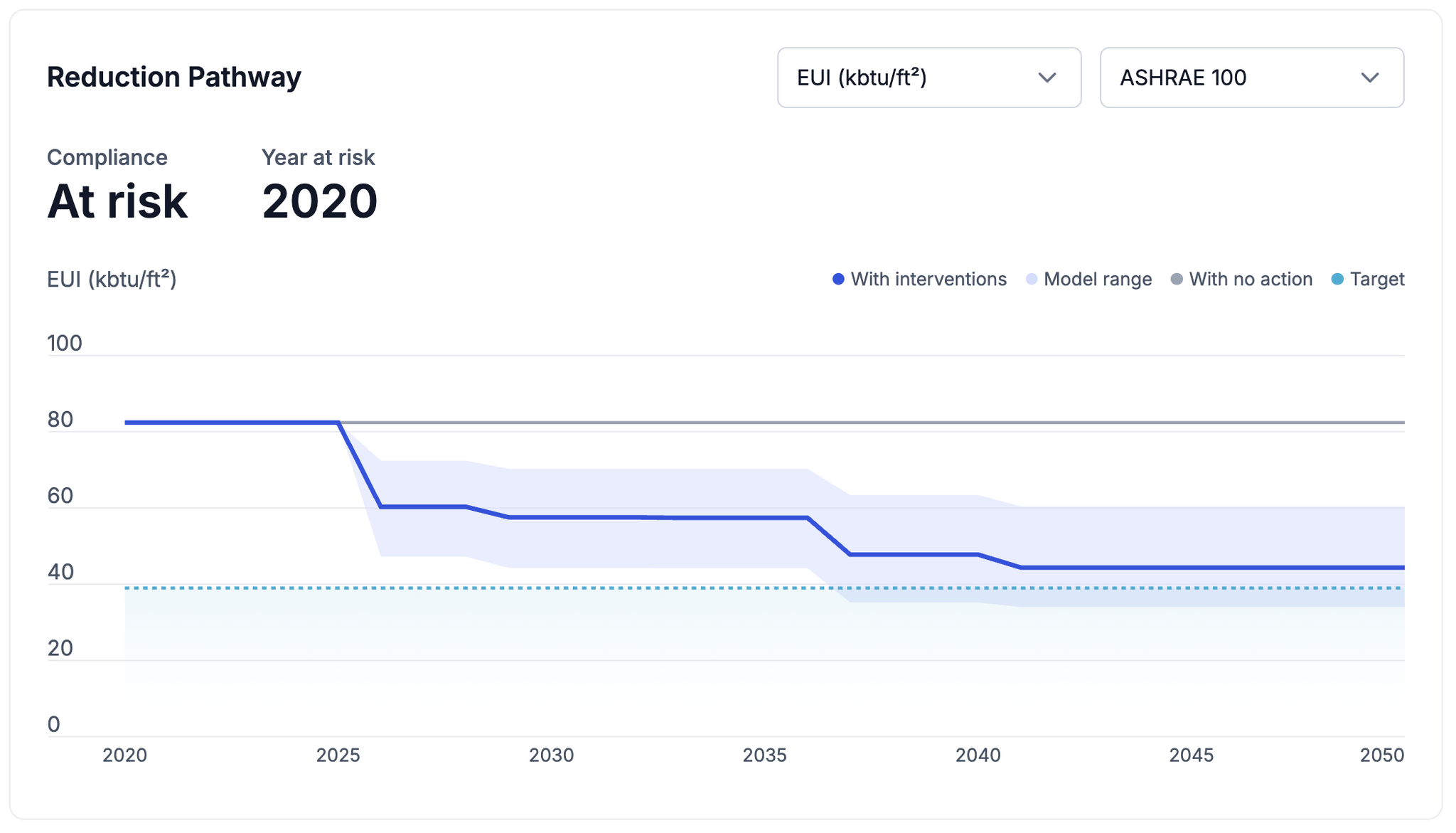
Carbon Signal now incorporates ASHRAE 100 performance standards in our Decarbonization over Time chart. Applicable ASHRAE 100 standards are automatically determined based on each building’s building type and climate zone.
ASHRAE 100 standards are available for both energy and carbon performance. This allows you to compare current and projected building performance against the applicable standard and understand how planned interventions can help close the gap.
Internal Portfolio Benchmarking
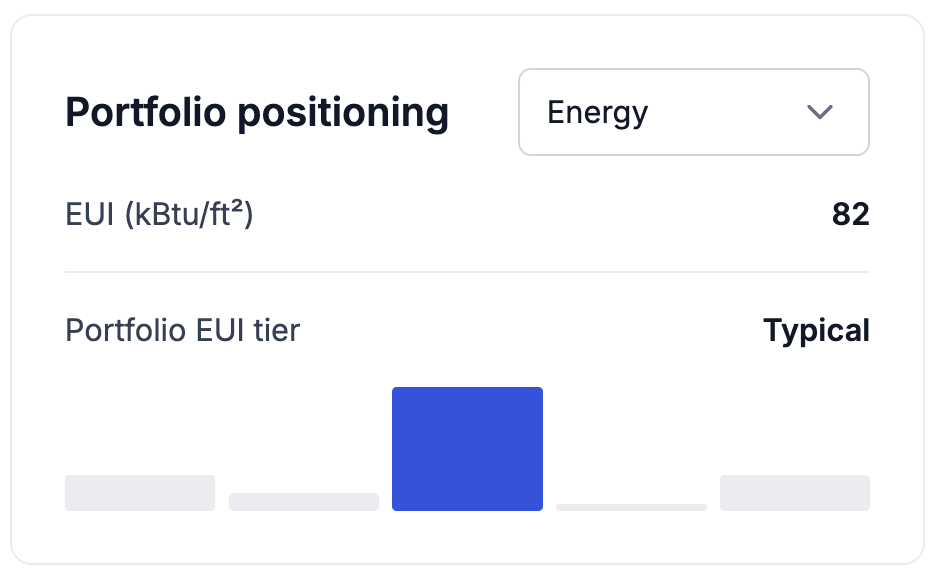
In addition to external standards, Carbon Signal can now benchmark each building against the performance of other buildings within your own portfolio.
The new Portfolio Positioning view in the Building Details page allows you to internally benchmark buildings using metrics such as energy use, emissions, or utility cost. Carbon Signal compares the building’s performance against the portfolio to assign the building to a relative performance tier. This provides immediate context for how the building compares with the rest of your portfolio.
Together, these two features provide both an external and internal perspective on performance, helping you identify where buildings stand and where to focus decarbonization efforts.
This release makes it easier to work with multiple years of energy data, benchmark building performance with Energy Star, and move quickly to an actionable decarbonization strategy.
Multiple Years of Energy Data
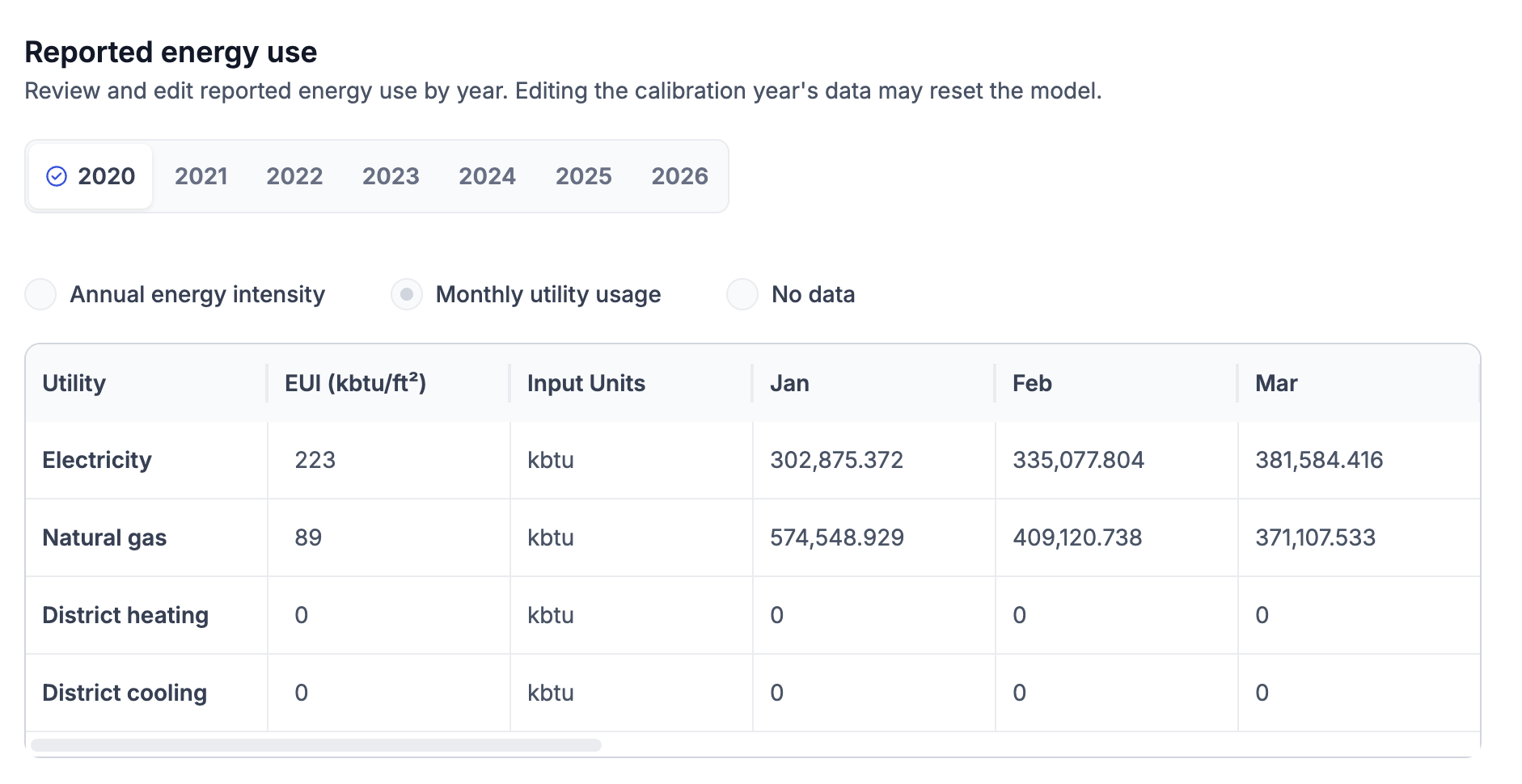
Carbon Signal now supports storing and managing multiple years of energy data for each building. You can review reported energy use by year and select which year should be used to calibrate the building’s energy model.
This provides greater flexibility when working with buildings that have several years of utility history, allowing you to select the year to represent the building’s baseline performance while retaining other years of reported data in the platform.
Energy Star Scores
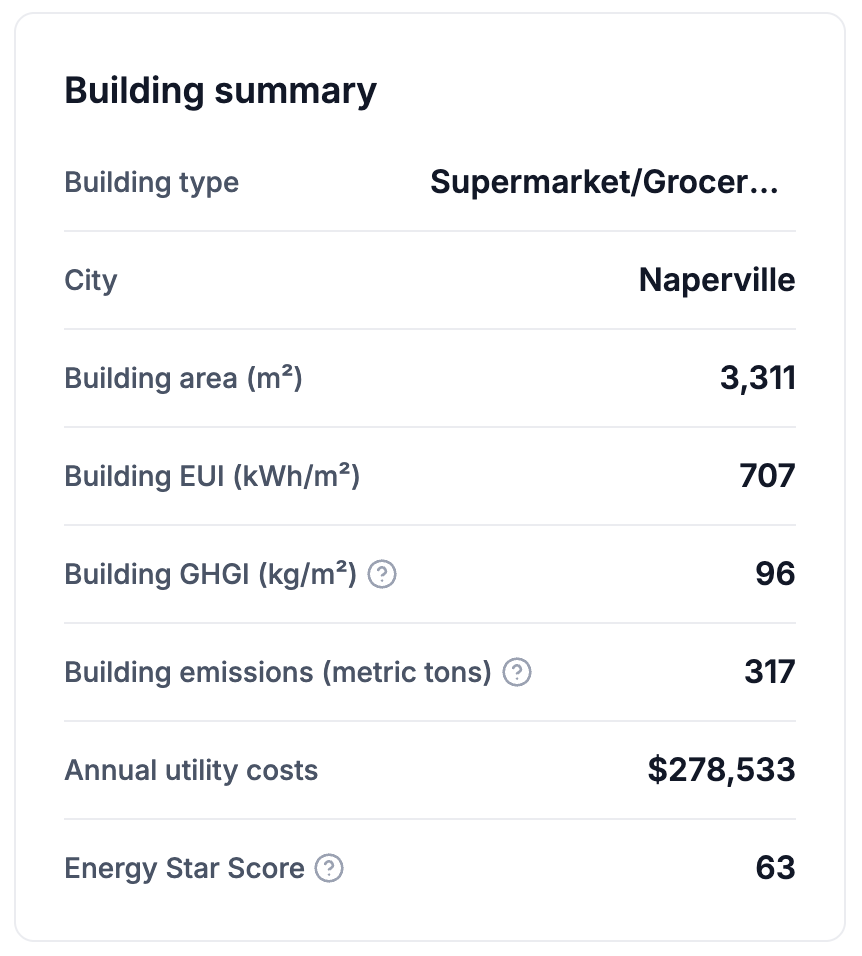
For eligible buildings in the United States, Carbon Signal now automatically calculates and displays the building’s Energy Star score.
The Energy Star score provides an additional benchmark for understanding how a building’s energy performance compares with similar buildings, making it easier to identify underperforming assets and communicate building performance using a widely recognized metric.
Draft Decarbonization Strategy
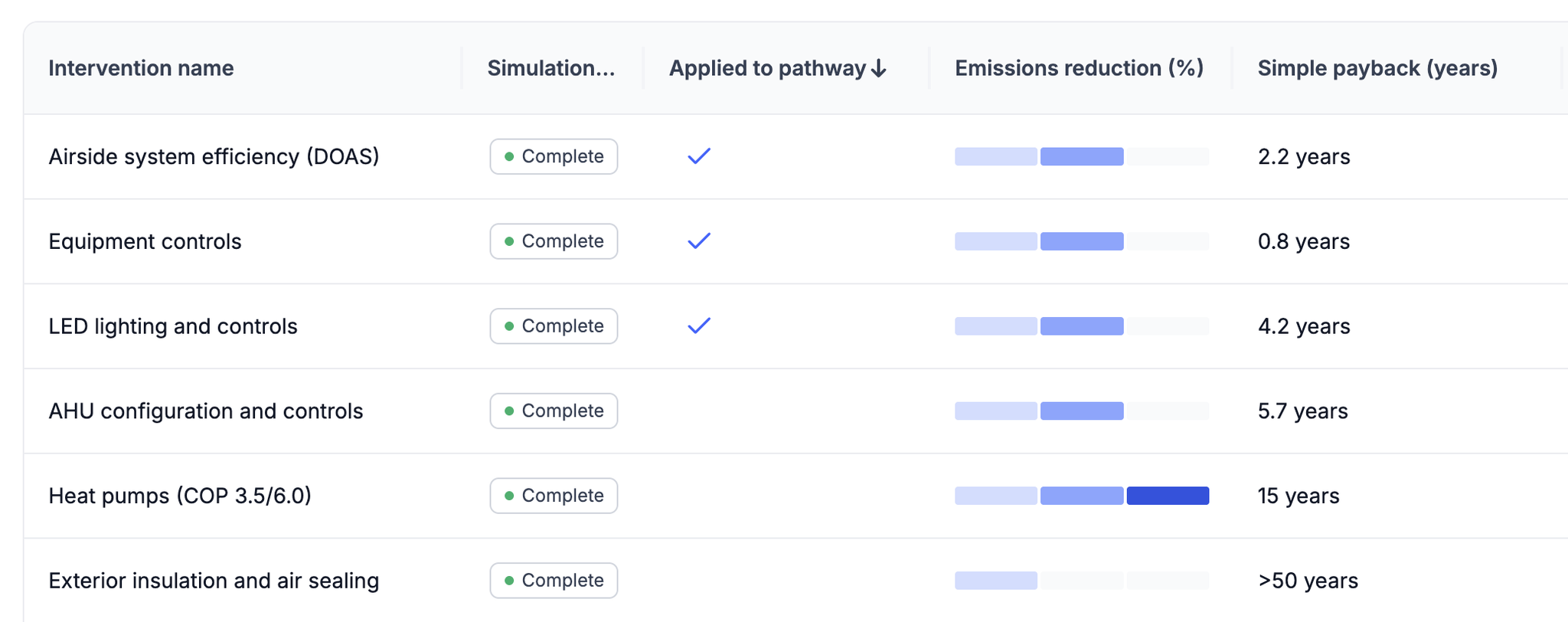
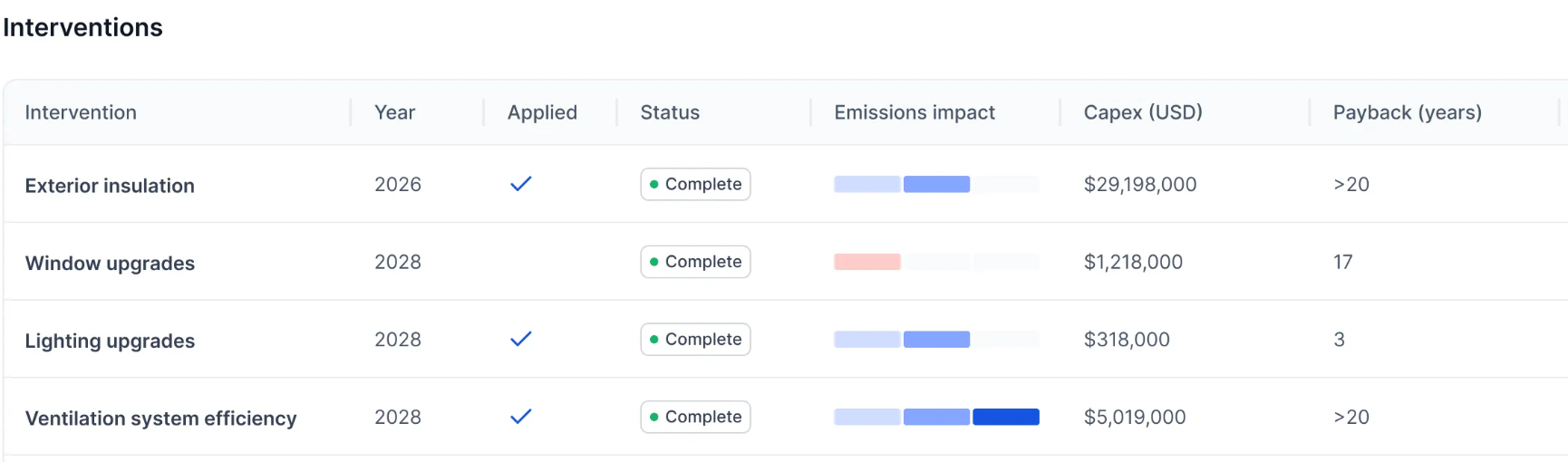
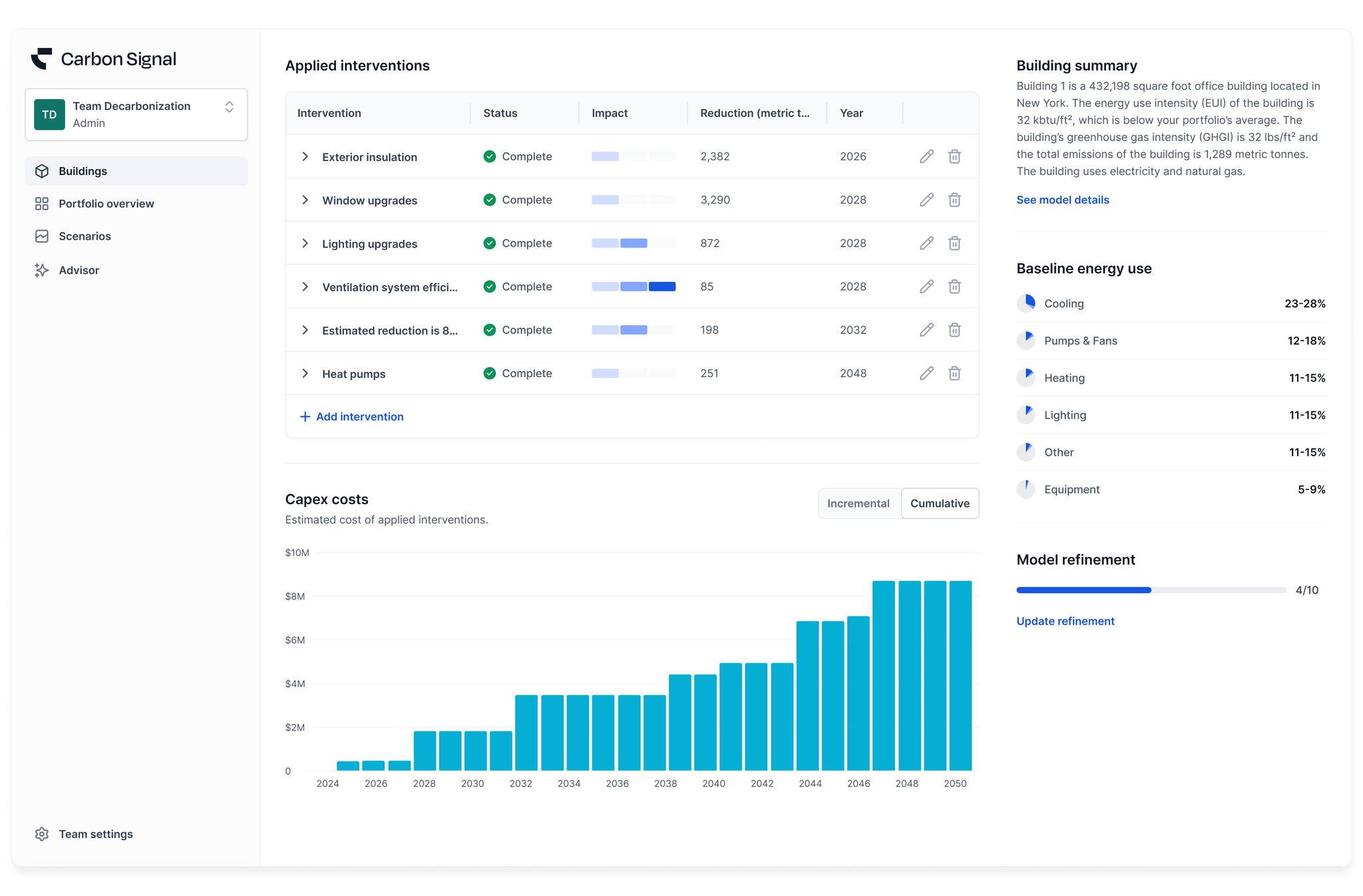
Carbon Signal now automatically creates a draft decarbonization strategy after a building has been calibrated. The three interventions with the shortest calculated simple payback periods are automatically applied to the pathway, while the remaining interventions are left available to review and apply as needed. This provides an actionable starting point for each building.
We’ve introduced a new capability that makes it significantly easier to refine building models using existing documentation.
LLM-Powered Model Refinement
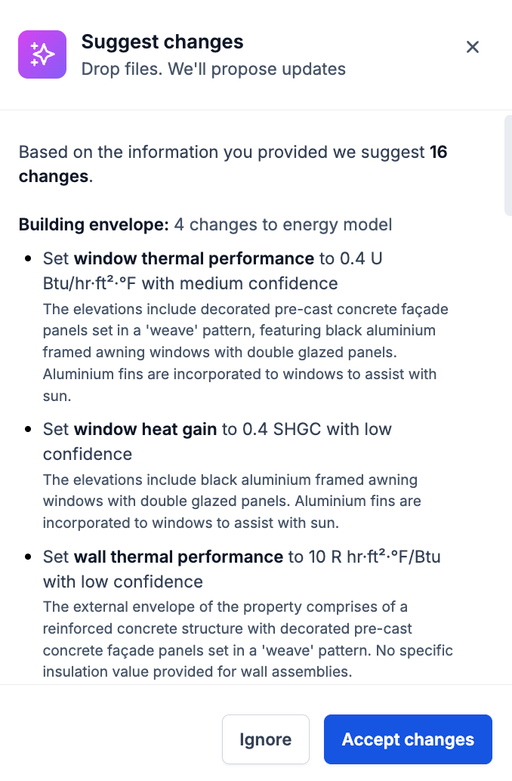
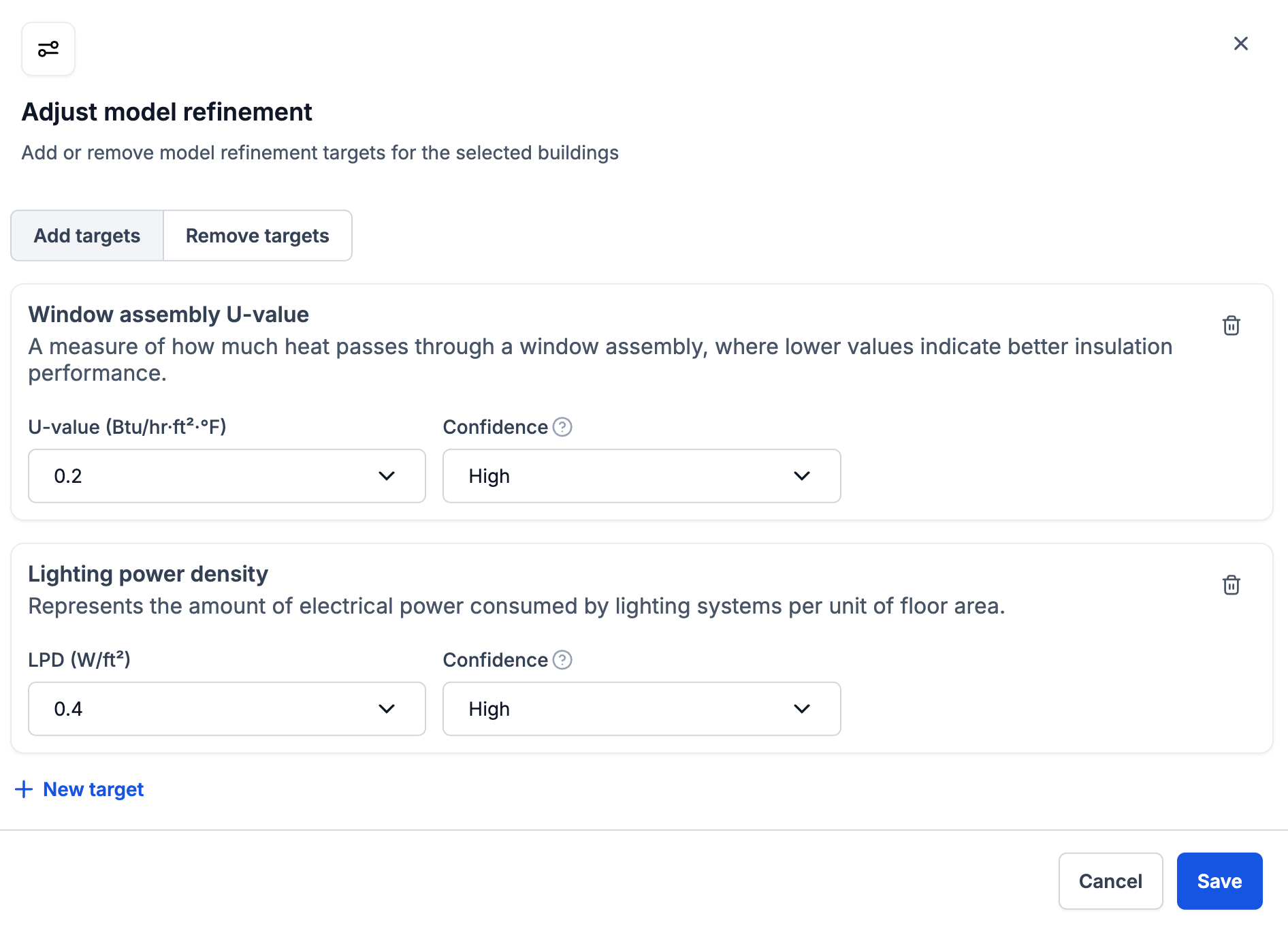
You can now upload unstructured reports - such as energy audits, maintenance and planned preventative maintenance schedules, or M&E studies - and Carbon Signal will use an LLM to parse them into recommended Model Refinement inputs automatically.
Each recommendation includes a suggested value for a key building characteristic (for example, window thermal performance or HVAC operational parameters), a confidence level, and the supporting context pulled from the source document. You can then review and accept the suggestions before anything is applied.
This will dramatically reduce the manual work of translating unstructured documentation into structured model inputs for your building.
We’ve introduced new tools to help users evaluate data quality and refine building models more efficiently. This release adds automated utility data quality checks to identify potential issues that could impact results, alongside a redesigned Energy Model workspace that brings building characterization insights and model refinement controls into a single view. Together, these updates make it easier to validate inputs, understand model assumptions, and improve confidence in decarbonization recommendations.
Utility Data Check
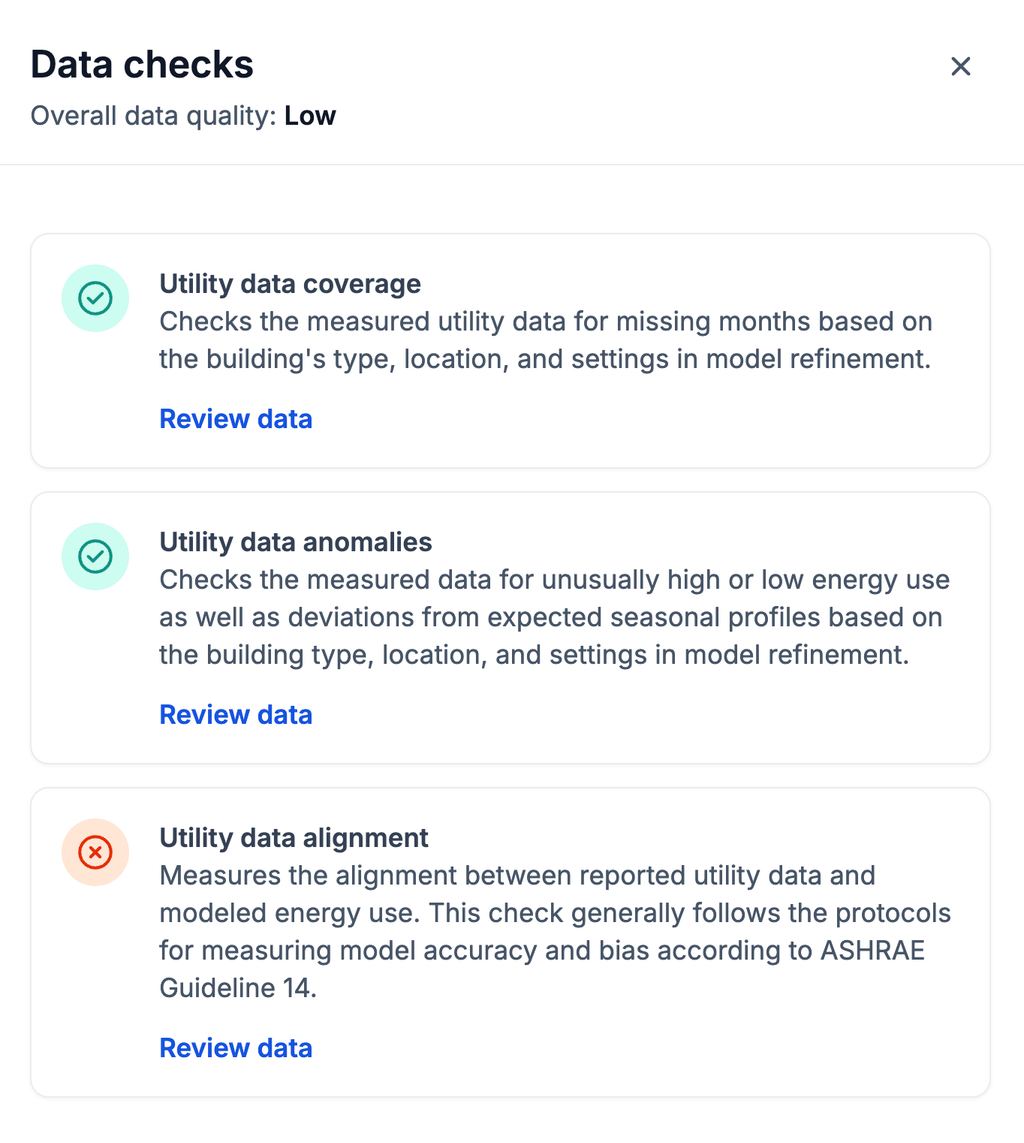
We’ve introduced a new Utility Data Check feature to help identify data quality issues that may have an impact on calibration results
Carbon Signal now automatically evaluates uploaded utility data across three key dimensions:
Utility data coverage — identifies missing utility data and gaps in reporting
Utility data anomalies — flags unusually high or low consumption and unexpected seasonal patterns
Utility data alignment — measures how well reported utility data aligns with modeled energy use based on industry best practices
Each check contributes to an overall data quality score, making it easier to assess the reliability of building inputs at a glance. When issues are detected, users can drill directly into the underlying utility data to review flagged records and make corrections as necessary.
New Energy Model Workspace
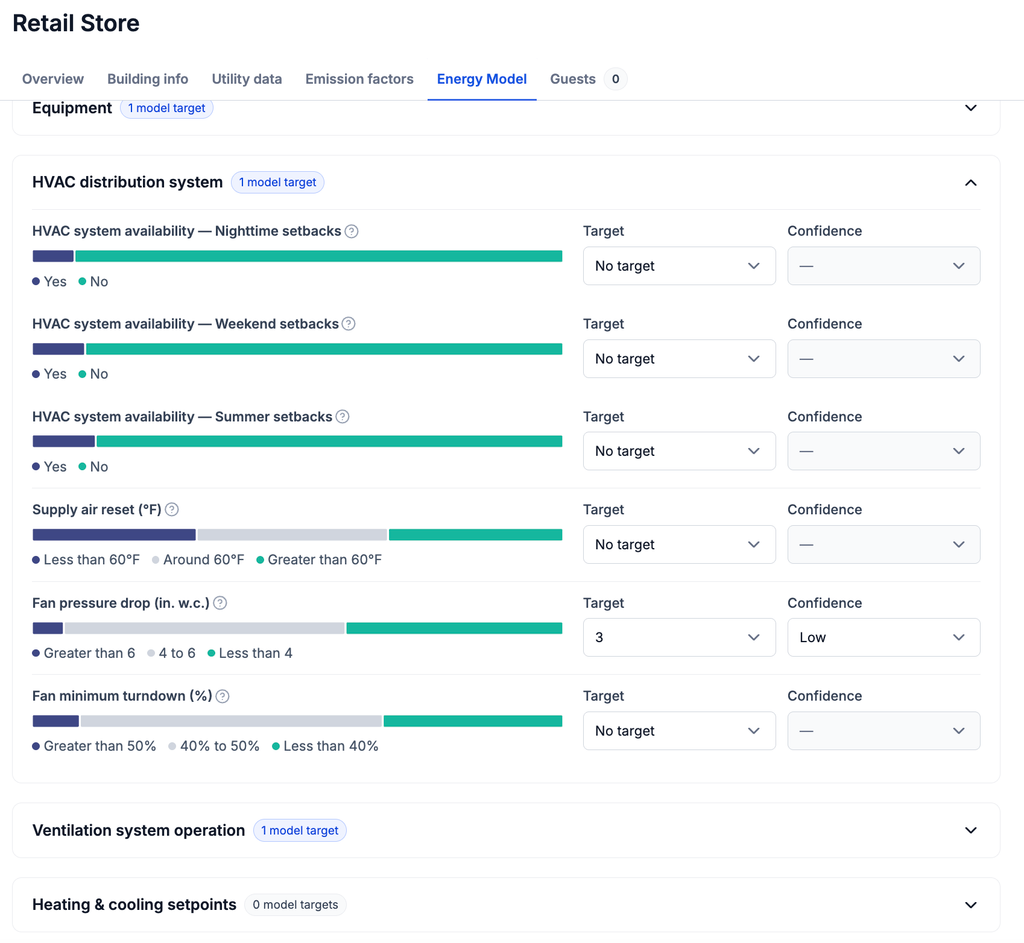
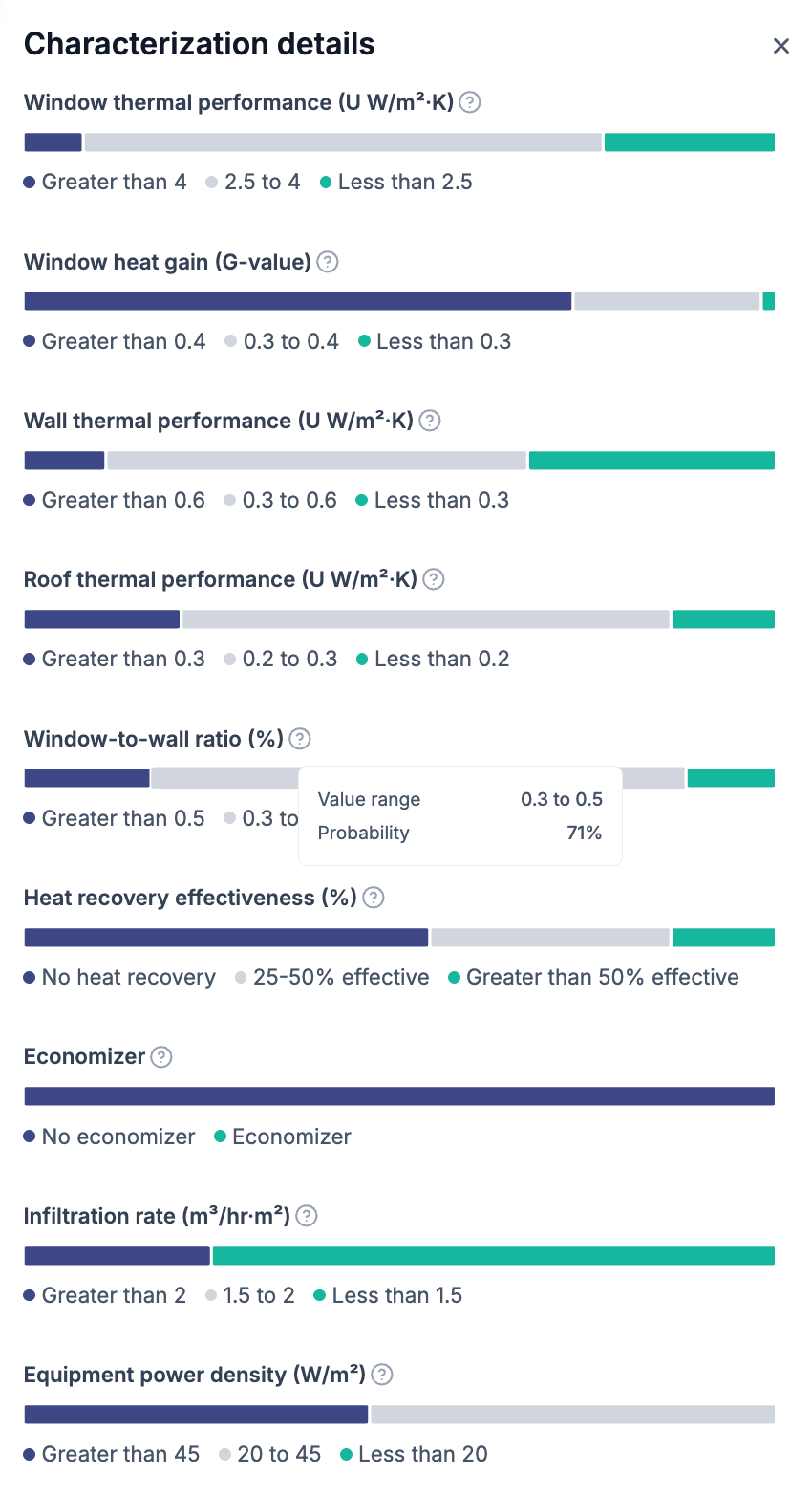
We’ve redesigned the Model Refinement experience with a new Energy Model workspace that brings the building’s characterization insights and model refinement controls together in a single view.
Previously, characterization results and refinement targets were separated across different views. Now, the characterization distribution for each building parameter is displayed directly alongside refinement targets, making it easier to compare model assumptions against the current calibrated model ensemble.
With this update, you can review characterization distribution results and model targets side-by-side, allowing you to iterate on key baseline model characteristics without switching between screens.
We’ve enhanced Carbon Signal to better support international portfolios and increasingly complex regulatory requirements.
This release introduces International SI units throughout key modeling workflows and expands Building Performance Standards (BPS) to support Source Energy targets and mixed-use buildings with multiple occupancy types. Together, these updates make it easier to model buildings using local units and evaluate compliance more accurately across a wider range of jurisdictions.
International SI Units for Characterization and Model Refinement
Carbon Signal now supportsinternational SI units when reviewing Characterization details and configuring Model Refinement parameters.
After switching to international SI units, users can view and edit building characteristics using metric measurements such as:
W/m² for lighting and equipment power density
W/m²·K for the U value of wall thermal performance
This update makes it easier for users working outside the US to interpret model outputs and refine assumptions using familiar units.
Expanded Building Performance Standards Support
We’ve enhanced Building Performance Standards (BPS) to support more complex compliance requirements.
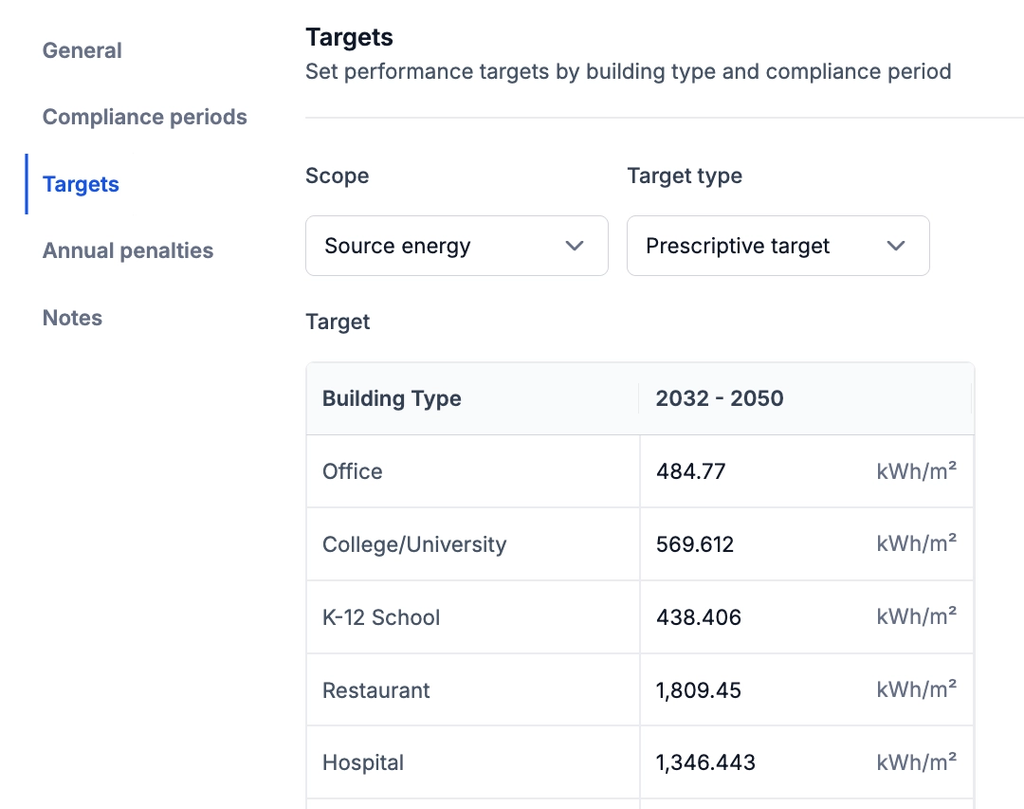
Source Energy Targets
This allows Carbon Signal to model regulations and voluntary standards that use source energy as the primary compliance metric.
Mixed-Use Building Compliance
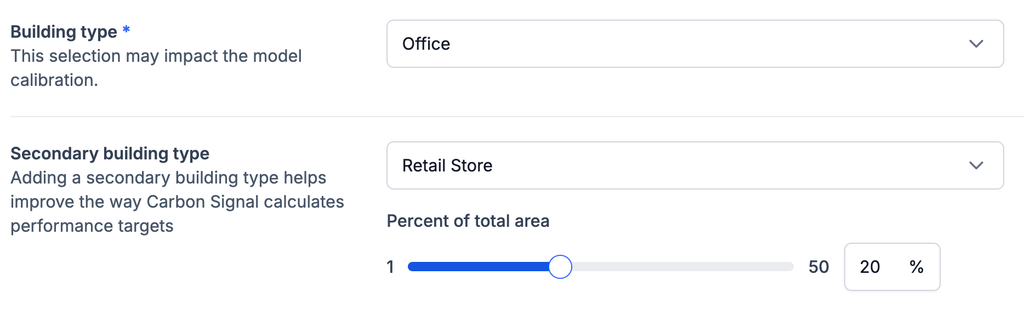
Buildings can now include both a primary and secondary building type, along with the percent of floor area assigned to each use.
Carbon Signal automatically adjusts performance targets, compliance status, and penalty calculations based on the weighted contribution of each occupancy type.
This improvement enables more accurate modeling of mixed-use properties such as office buildings with retail space, hotels with restaurants, and multifamily buildings with ground-floor commercial uses.
This release strengthens Carbon Signal's ability to support portfolio-scale decarbonization planning. With portfolio-level decarbonization views, location- and building type-aware cost adjustments, and a redesigned library of Building Performance Standards, it is now easier to plan capital and align portfolios to compliance requirements with greater clarity and flexibility.
Portfolio Decarbonization Over Time
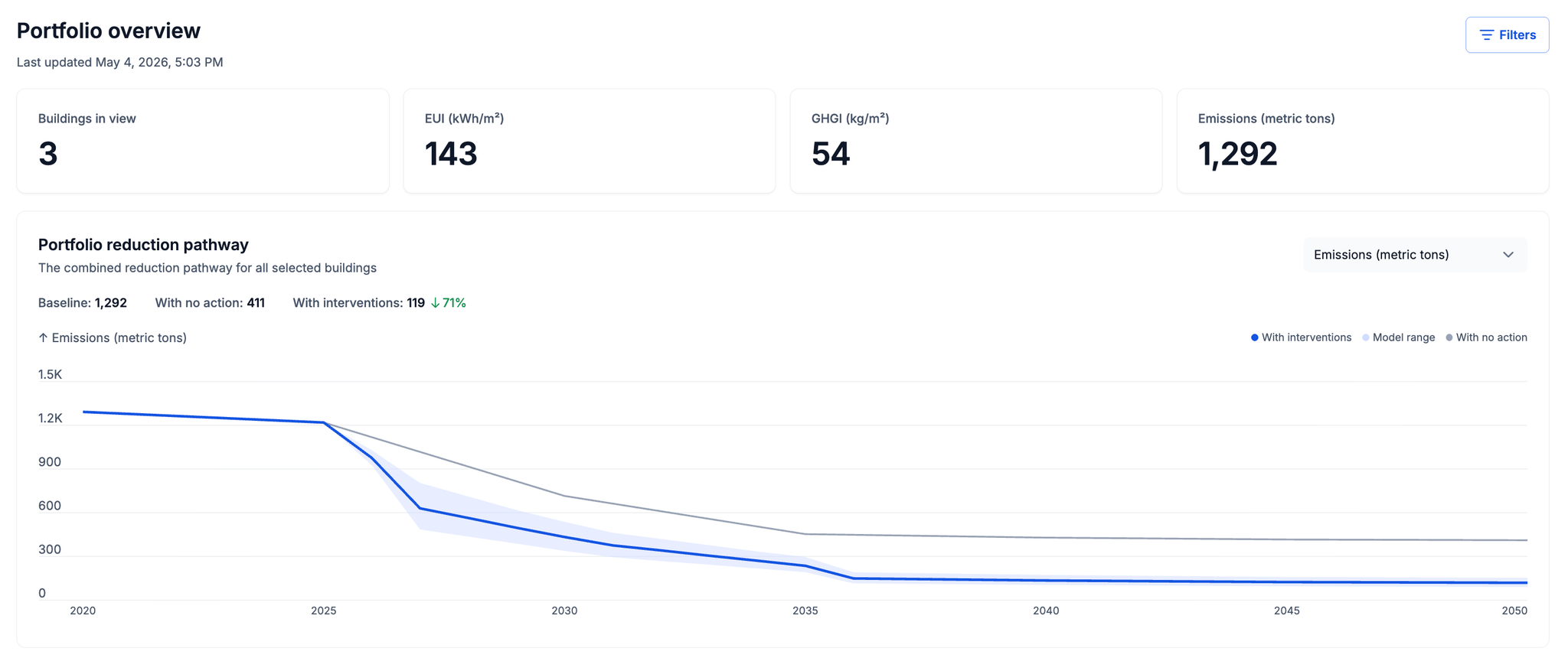
Carbon Signal now includes Decarbonization Over Time at the portfolio level. Within Portfolio Overview, we now display a combined reduction pathway across all selected buildings, showing baseline emissions and the trajectory with interventions applied. A model range surrounds the intervention pathway, preserving the same probabilistic confidence representation that is available at the building-level.
This brings the same analytical depth previously available at the building level to your entire portfolio.
Cost Adjustments for Interventions
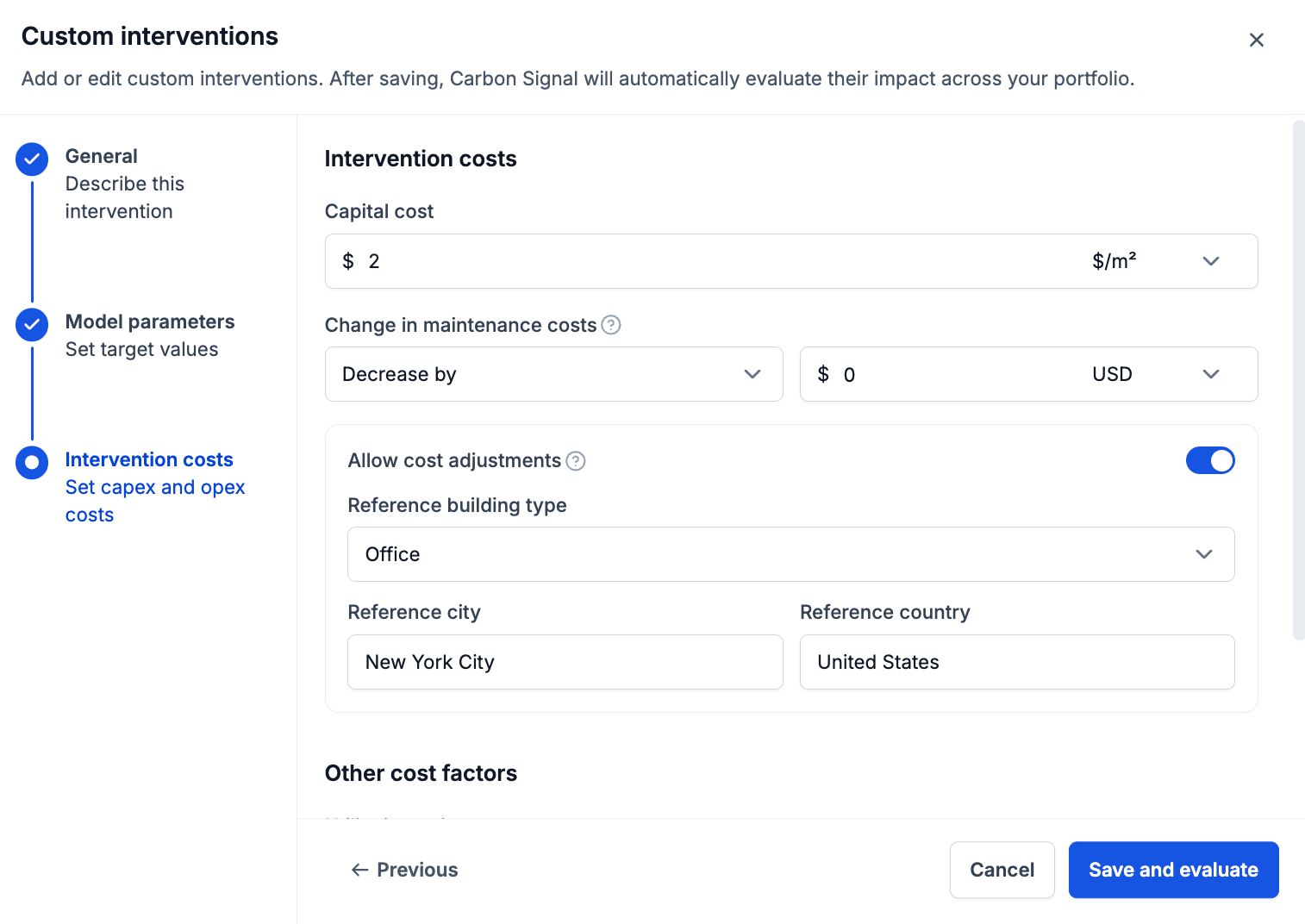
Carbon Signal now supports cost adjustments for interventions, allowing capex and maintenance costs to scale automatically based on the relative construction and maintenance costs across geographic locations and building types.
With cost adjustments enabled, Carbon Signal applies a multiplier to costs with respect to a reference building type and reference location, so the same intervention is priced realistically across a diverse portfolio. This will better reflect real-world differences in construction and labor costs across different building types and geographic markets.
Building Performance Standards Library
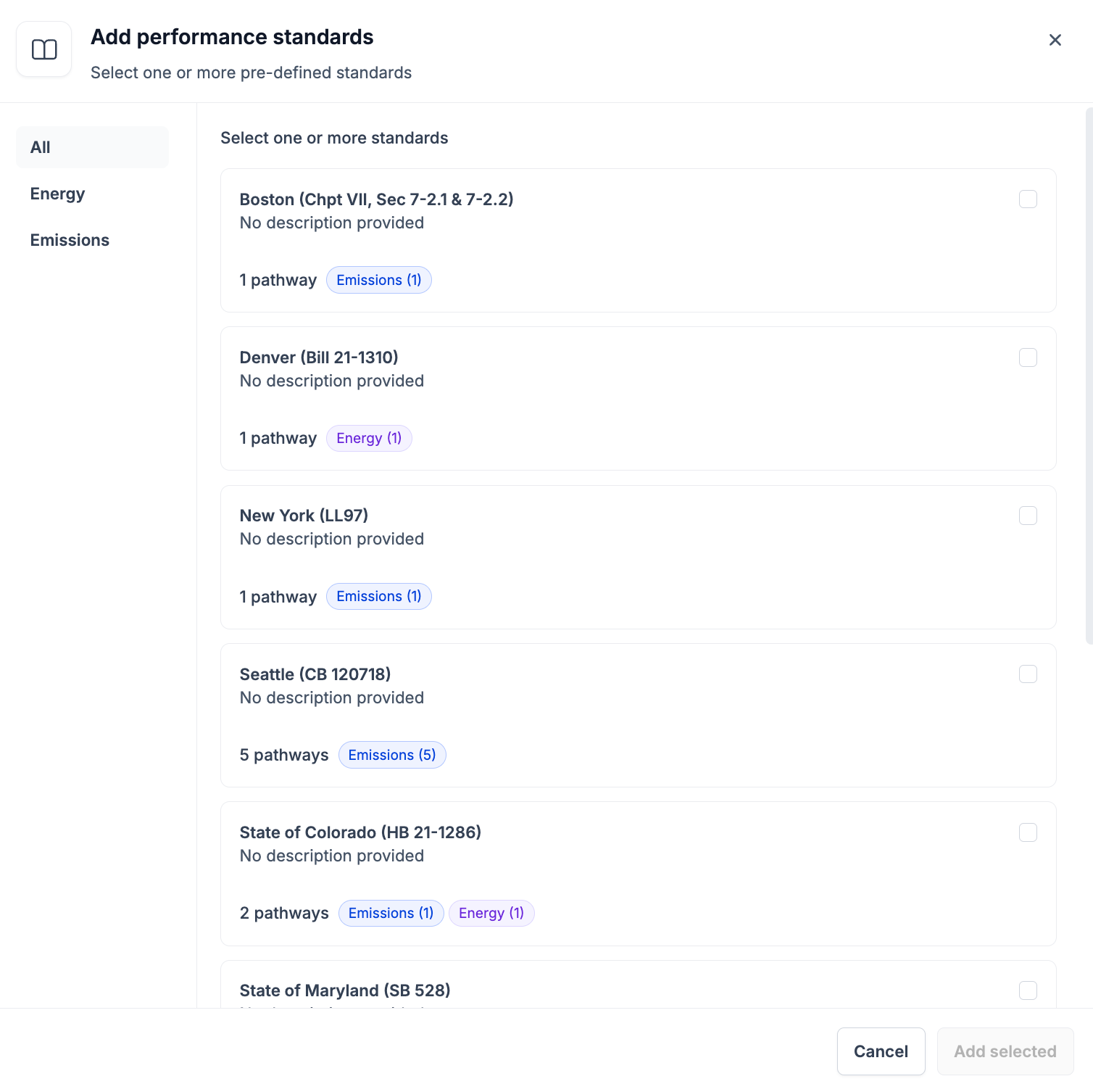
We’ve introduced a redesigned experience for adding performance standards, including a centralized library of all supported Building Performance Standards with published targets.
With this update, you can:
Browse standards across jurisdictions in one place
Select, add, and apply standards more efficiently to your portfolio
This release strengthens Carbon Signal’s ability to support scalable decarbonization analysis by improving how buildings are created and how interventions are evaluated. With a guided building setup workflow and enhanced portfolio analysis tools, it is now easier to input data, refine assumptions, and compare outcomes across buildings with greater clarity and flexibility.
Multiple Data Input Methods
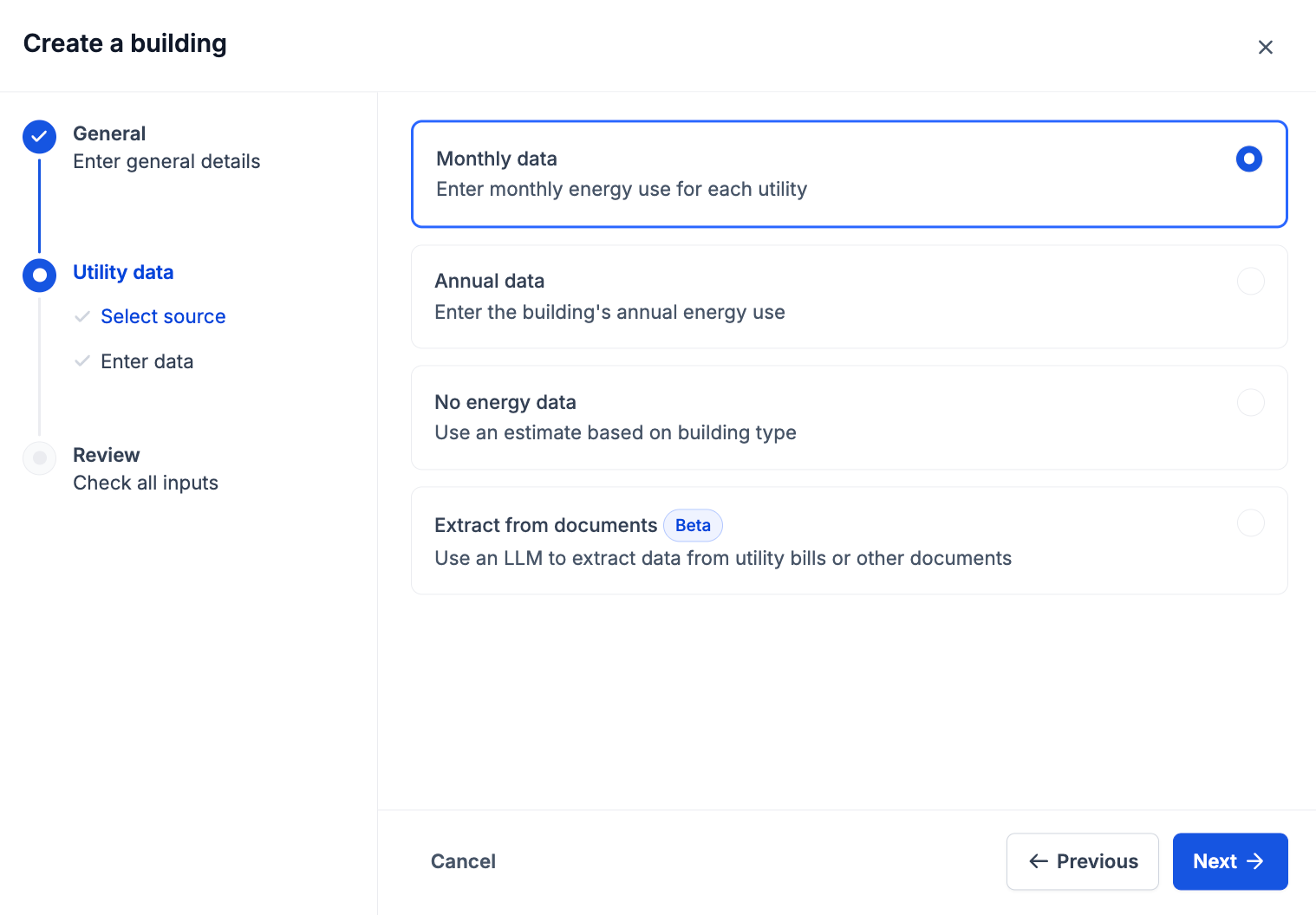
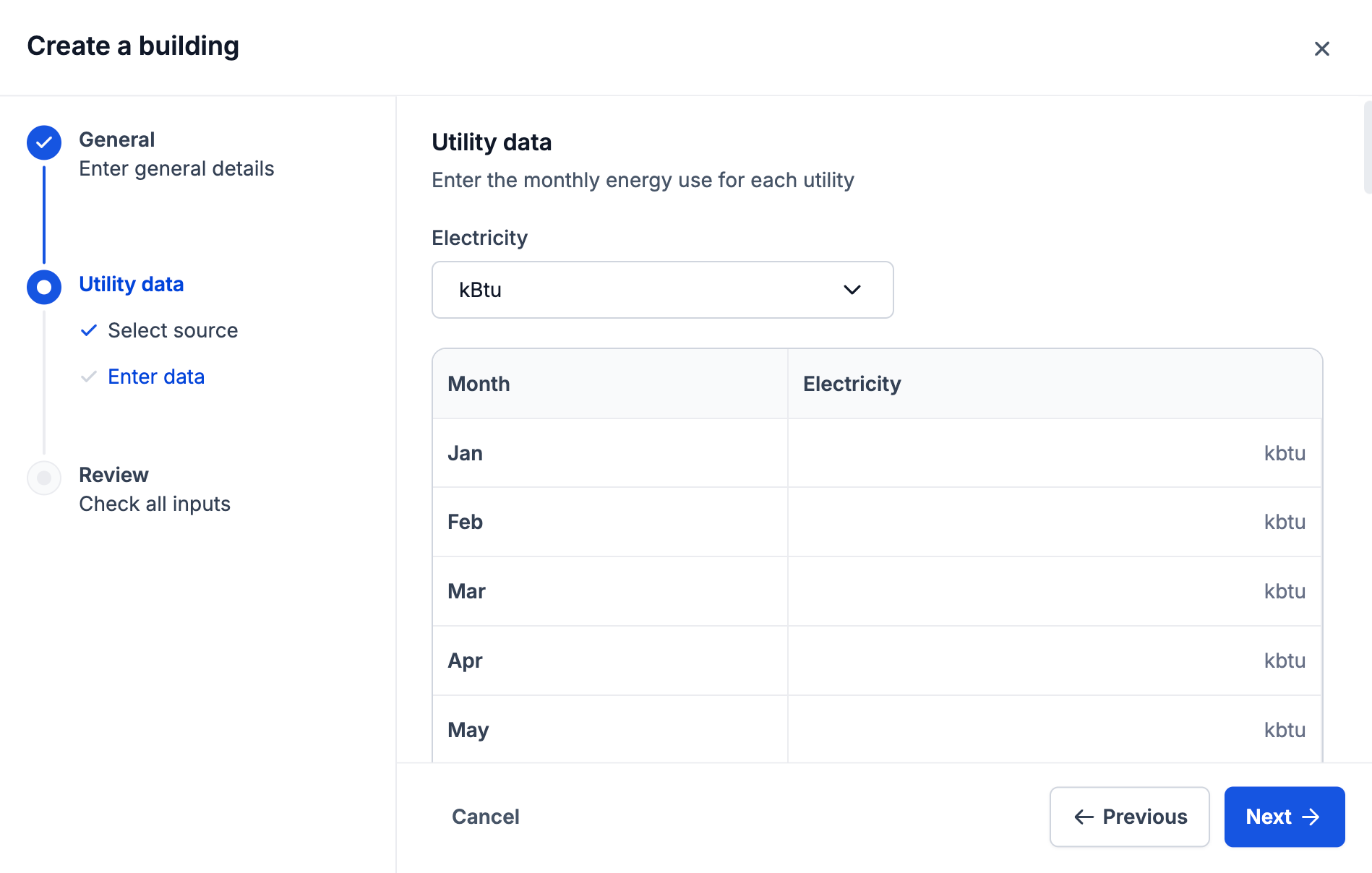
Carbon Signal now includes a step-by-step wizard for creating individual buildings. The workflow guides users through entering building details, selecting a data source, and reviewing inputs before finalizing the building.
This structured approach helps ensure required information is captured consistently, making it easier to create begin analysis quickly.
Users can now choose from several methods to provide building energy data, depending on availability:
Monthly data – Enter detailed monthly energy consumption for each utility
Annual data – Provide a single annual energy intensity value
No energy data – Generate an estimated model based on building type
Extract from documents (Beta) – Carbon Signal now supports extracting utility data directly from documents using a language model. Users can upload files such as utility bills, energy audit reports, or spreadsheets, and the platform will automatically identify and extract relevant energy data.
With the AI-powered data extraction from documents, Carbon Signal reduces the need for manual data entry and makes it easier to ingest historical utility data that is often stored in unstructured formats. By converting documents into structured inputs, users can quickly incorporate existing reports into their analysis workflows.
The ability to create buildings with limited or no data enables faster analysis in real-world scenarios, such as:
Acquisition due diligence where utility data is unavailable
Portfolio-wide analysis with incomplete datasets
This makes it easier to include every building in decarbonization planning, even when data is incomplete.
Intervention Heat Map
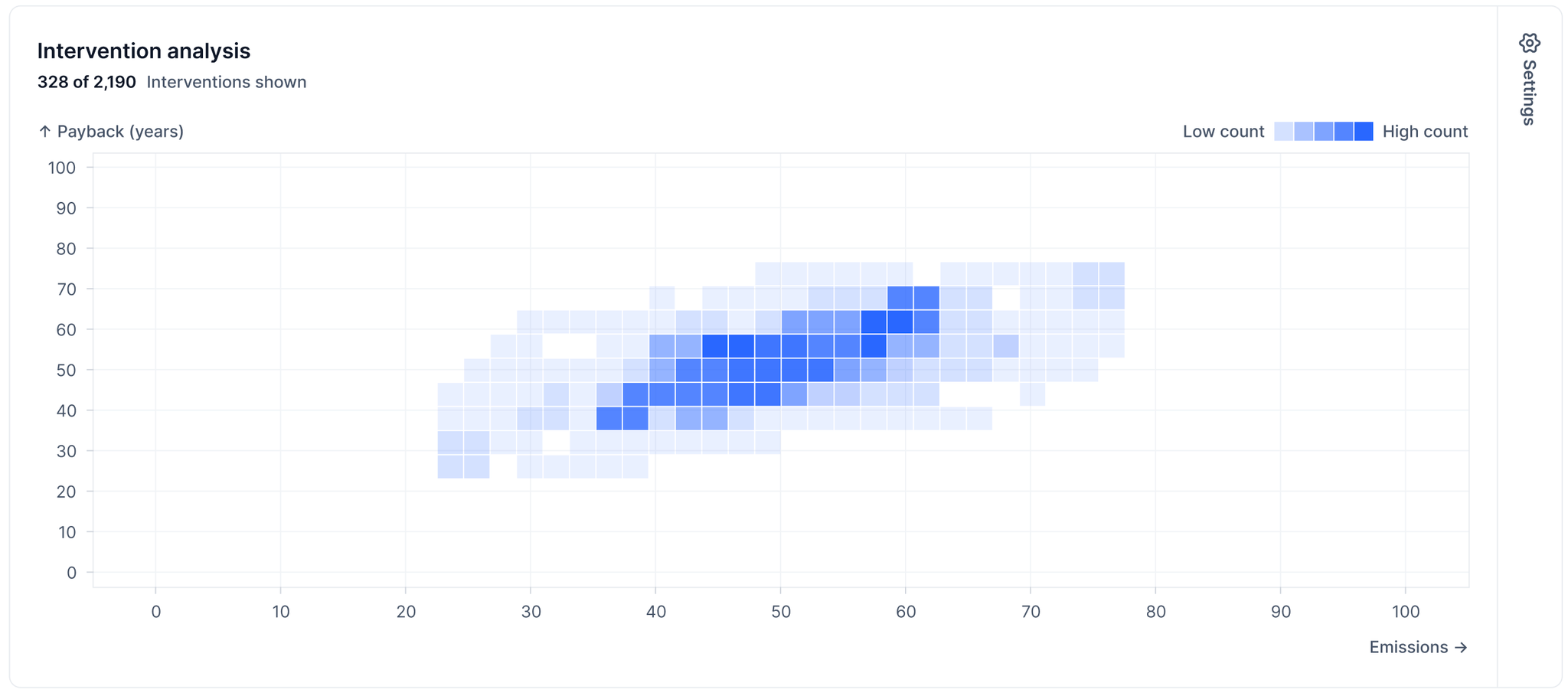
Carbon Signal now includes an interactive heat map on the Interventions page, allowing users to visualize and compare the performance of interventions across buildings.
The heat map displays interventions across two configurable axes, enabling users to evaluate trade-offs between different performance metrics. Both the horizontal and vertical axes can be adjusted to show metrics, such as:
Emissions reduction percent or magnitude
Energy reduction percent or magnitude
Capital cost
Utility cost reduction
Simple payback period
Year
This allows users to quickly identify interventions that balance emissions impact, energy savings, and financial performance.
Flexible Analysis with Filters Across Interventions and Buildings
Filtering now includes advanced filtering capabilities, allowing users to refine results using both intervention-level and building-level attributes.
In addition to the existing building-level filters, Carbon Signal now includes intervention-level filters. Intervention-level filters apply to intervention metrics and attributes such as:
Intervention
Simple payback period
Emissions reduction percent
Emissions reduction magnitude
Energy reduction percent
Energy reduction magnitude
Capex cost
Utility cost reduction
Year
Together, these updates make it easier to:
Create buildings quickly, even with limited data
Ingest utility data from audit reports and bills
Compare interventions across buildings and portfolios
This release further strengthens Carbon Signal’s ability to connect decarbonization strategy, financial decision-making, and scalable portfolio analysis, making it easier to evaluate investments, refine assumptions, and model outcomes with confidence.
Advanced Financial Modeling
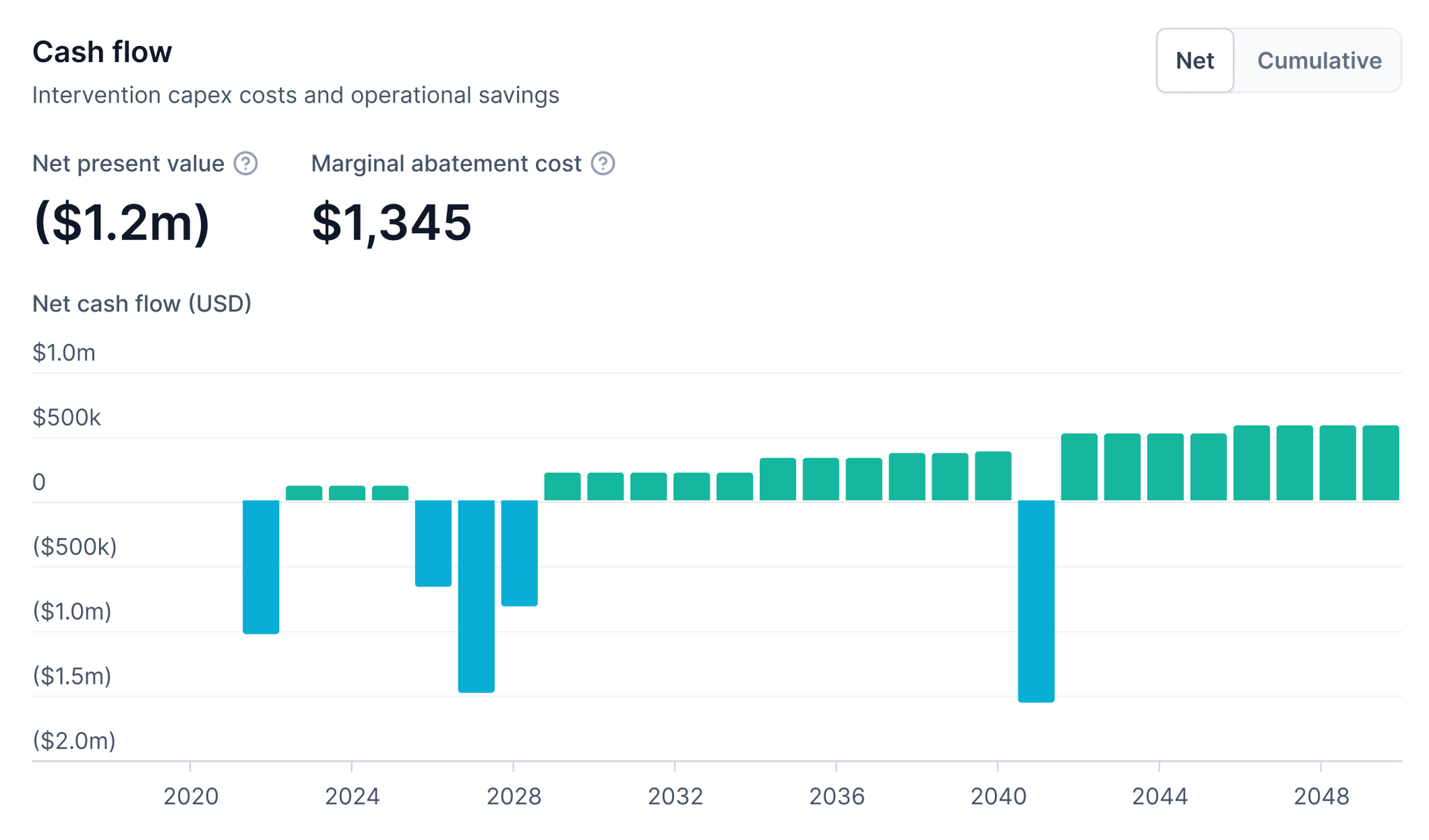
Carbon Signal’s Financial Modeling has been expanded to support more rigorous financial evaluation of energy efficiency and decarbonization projects. In addition to simple payback, Carbon Signal now calculates Net Present Value and Marginal Abatement Cost for each intervention and bundled packages of interventions at the building level.
These additions allow you to evaluate interventions using discounted cash flows and to compare emissions reductions on a cost per ton basis. With these metrics, teams can compare interventions more effectively, identify those that maximize emissions reductions per dollar invested, and communicate energy efficiency and decarbonization investments using financial language familiar to financial and leadership teams.
Streamlined Single-Building Upload with Guided Wizard
Carbon Signal now includes a guided single-building upload wizard that walks users step-by-step through the building creation process.
The wizard clarifies and simplifies required inputs, improves data quality, and reduces setup errors, making it easier to get started on analysis with individual buildings.
Streamlined Model Refinement Across Multiple Buildings
Model Refinement can now be applied across multiple buildings at once. Users can update building characteristics in bulk, allowing consistent assumptions to be enforced across a portfolio without refining each building individually.
This capability can be useful when common assumptions need to be applied across similar building types or geographic contexts.
Time Bound Analysis for Greater Control and Accuracy
Carbon Signal now allows analysis to be constrained to a specific time period. Models, financial outputs, and results can be aligned to defined time-based analytical windows, improving relevance.
This added control is useful for aligning analysis with specific compliance timelines or reporting windows, such as evaluating performance only during an asset’s hold period or leased period.
Carbon Signal now provides a clearer connection between decarbonization measures, financial outcomes, and regulatory requirements.
Financial Insights: Simple Payback Now Available on the Building Details Page
The Building Details page now shows three key metrics for every intervention:
Energy Savings
Utility Cost Savings
Emissions Savings
By entering utility rates in the Utility Data tab, Carbon Signal automatically calculates the simple payback period for each intervention. This means you can immediately see how quickly an investment will pay for itself based on the building’s utility cost and capex.
This update transforms Carbon Signal into a more robust financial analysis tool, enabling you to:
Assess cost-effectiveness of individual interventions with real dollar savings.
Prioritize measures that deliver the fastest financial return.
Support capital planning with transparent payback calculations tied to actual utility rates.
Bridge the gap between sustainability goals and investment decisions.
Portfolio-Wide View of Building Performance Standards (BPS)
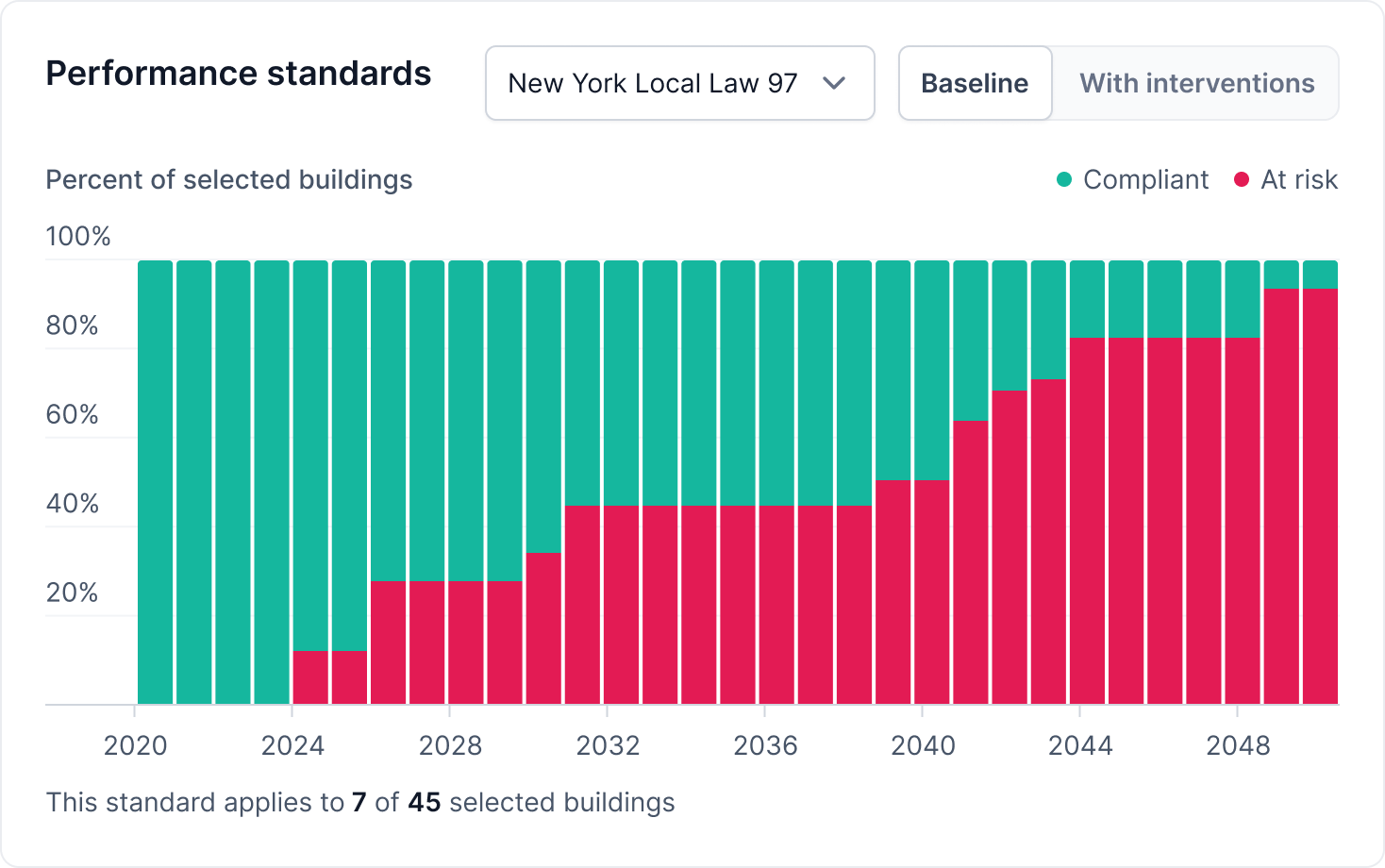
We’ve also added a new Performance Standardswidget to the Portfolio Overview page.
This widget shows the percentage of buildings in your portfolio that are compliant or at risk of compliance with performance standards.
This makes it easier to quantify regulatory exposure at a glance and understand where financial risk may arise from future penalties, compliance costs, or required upgrades.
Use this view to:
Prioritize funding toward high-risk jurisdictions
Communicate regulatory risk clearly to leadership and investors
We’ve now made it easier to get started with building analysis on Carbon Signal, even in the absence of utility data.
Support for Buildings Without Utility Data
You can now upload buildings without any utility data. Simply provide the building’s floor area and location, and the platform will automatically generate analysis for the building, allowing you to estimate performance and explore decarbonization opportunities even in the absence of utility data.
If you have additional information about a building, such as details on the HVAC or lighting system, you can use the Model Refinement feature to further improve accuracy.
This powerful update makes it possible to complete analysis for buildings during acquisition or leasing, when utility data might not yet be accessible, but where it is still important to understand energy performance and decarbonization requirements.
Other use cases include:
Early-stage projects: Run decarbonization analysis on design-stage or newly constructed assets before occupancy.
Portfolio analysis: Include buildings without energy data to maintain a complete portfolio view of energy and carbon performance.
With this new feature, you can move faster to action, ensuring every building, regardless of data availability, can be included in your decarbonization strategy.
We’ve added some exciting new tools to help you analyze performance and prioritize decarbonization actions more effectively.
Building Performance Standards (BPS)
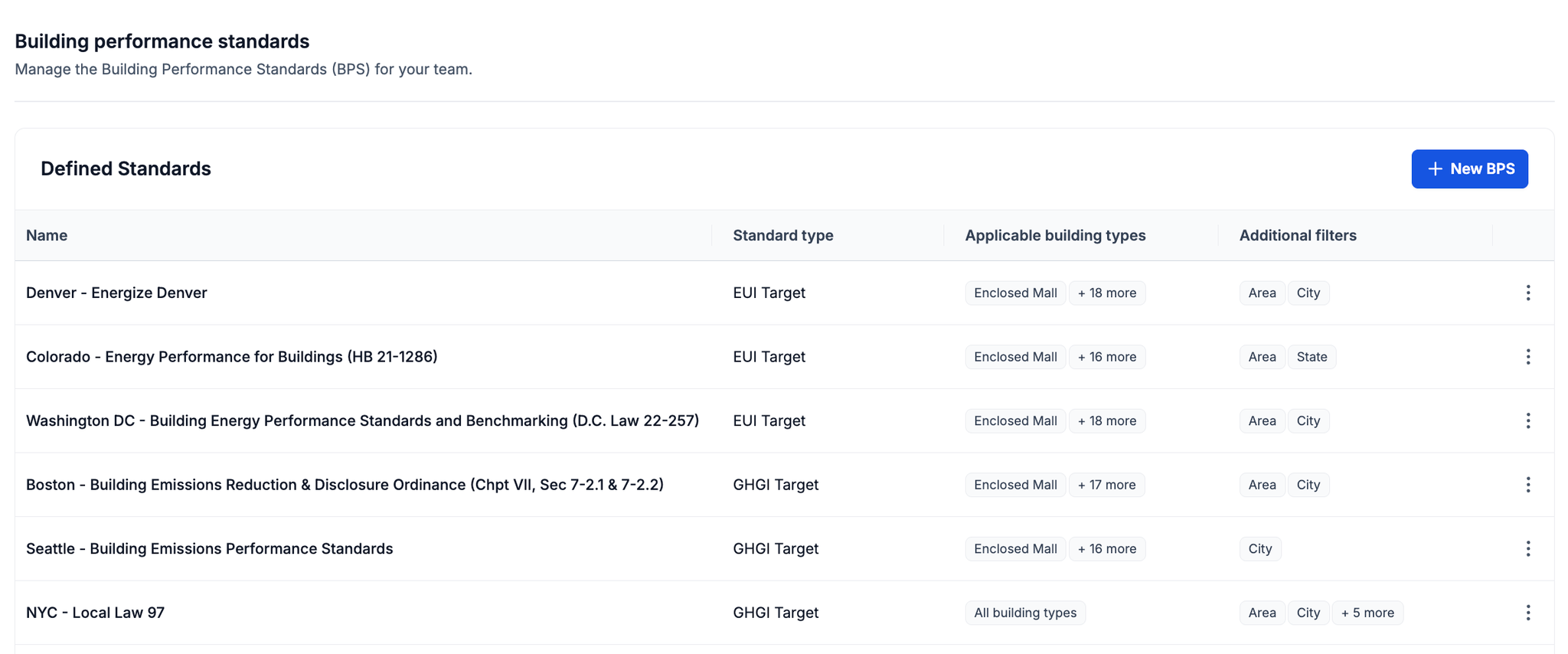
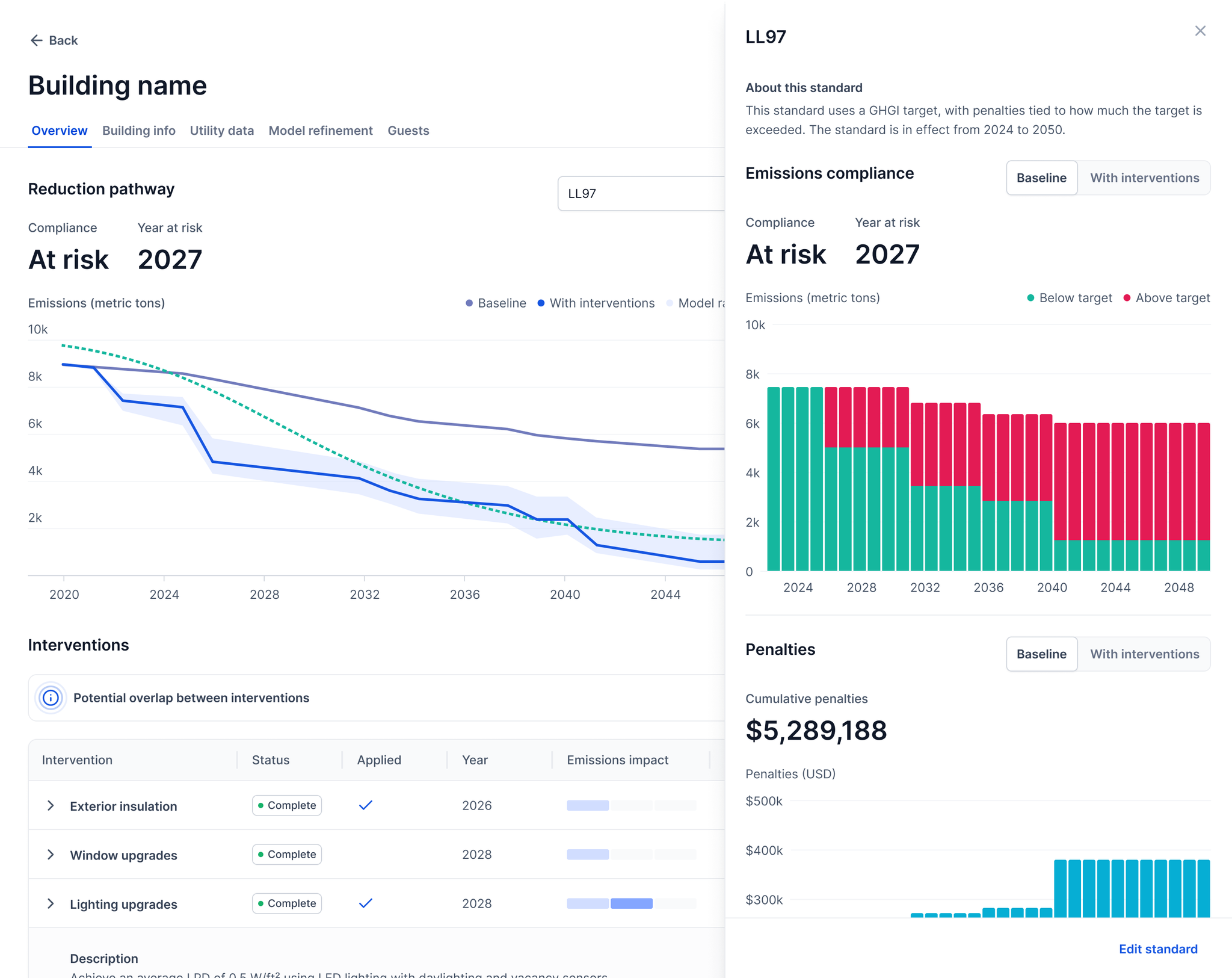
You can now model energy and carbon targets required under Building Performance Standards (BPS). These are regulations that set minimum energy or emissions performance thresholds for existing buildings. BPS are becoming key drivers of energy efficiency and decarbonization in cities across North America, making proactive capital planning essential.
With this new feature, you can define compliance periods, set emission or energy intensity targets, and visualize when each building is projected to exceed regulatory limits and incur the associated penalties.
Improved Portfolio Overview
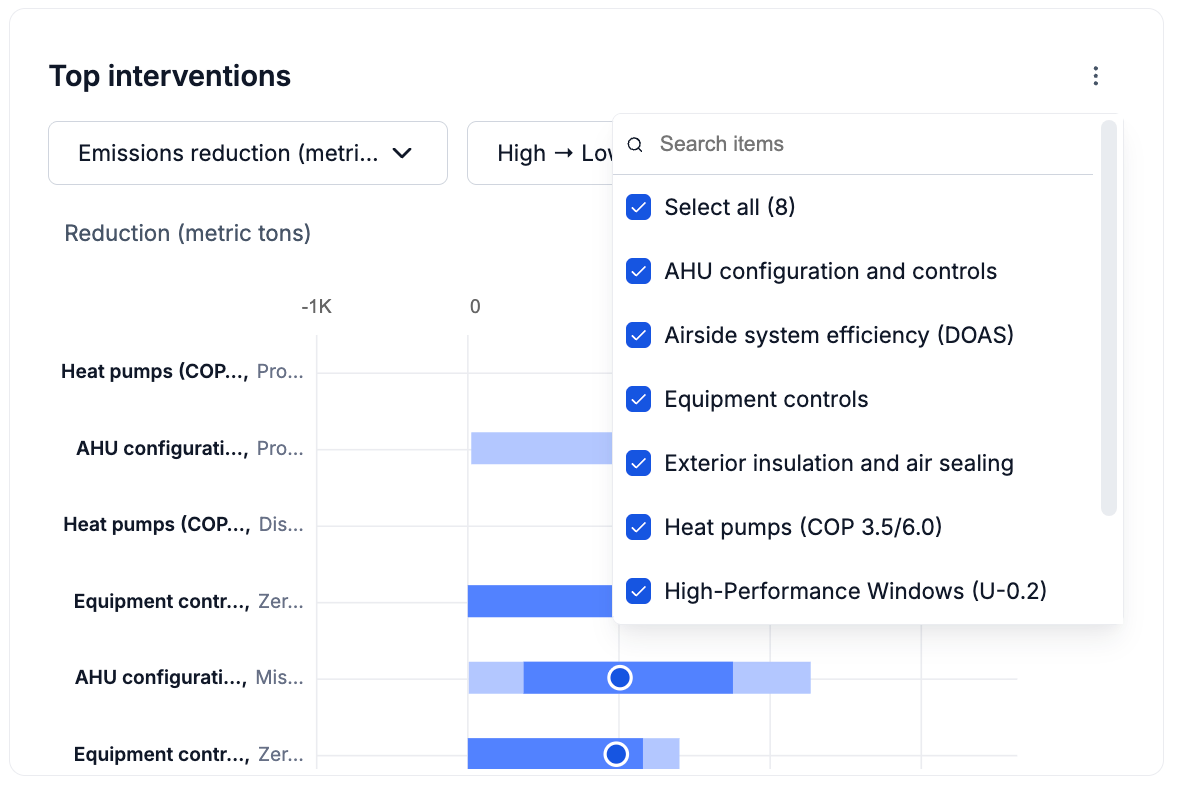
We’ve enhanced the Top Interventions widget with a new filter, allowing you to view results by intervention type. This makes it easier to compare similar strategies, like lighting, HVAC, or envelope upgrades, across your portfolio.
New Documents Page
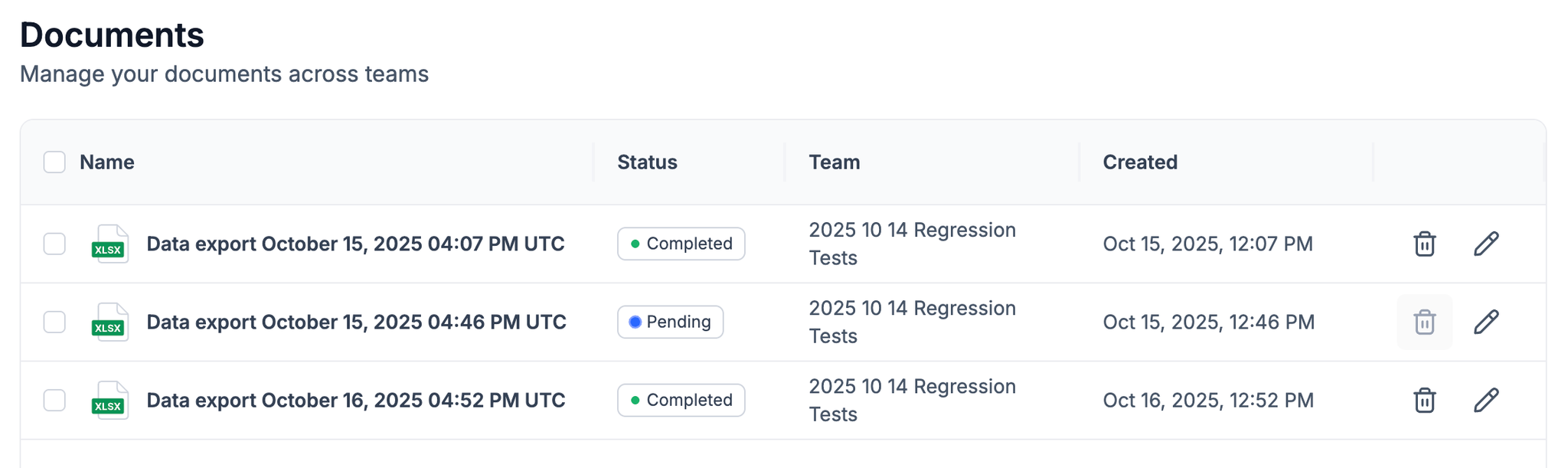
All your exports are now stored in a centralized Documents page for easy access and download.
We’ve made onboarding and data management smoother in this release.
Improved Onboarding
New users will now have Viewer access to a Demonstration Team after registration, giving them a ready-to-use space to explore the platform.
Redesigned Utility Data & Emission Factors Pages
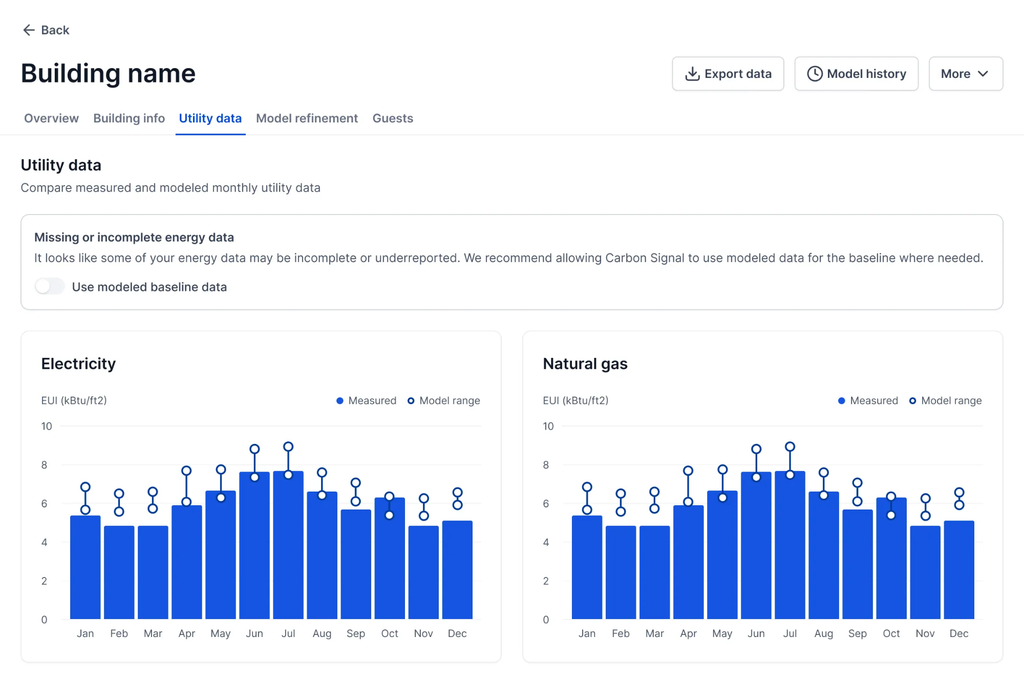
We’ve also redesigned the Utility Data experience, splitting it into 2 clearer sections. The Utility Data tab is where you can review and edit measured utility data (or substitute modeled data).
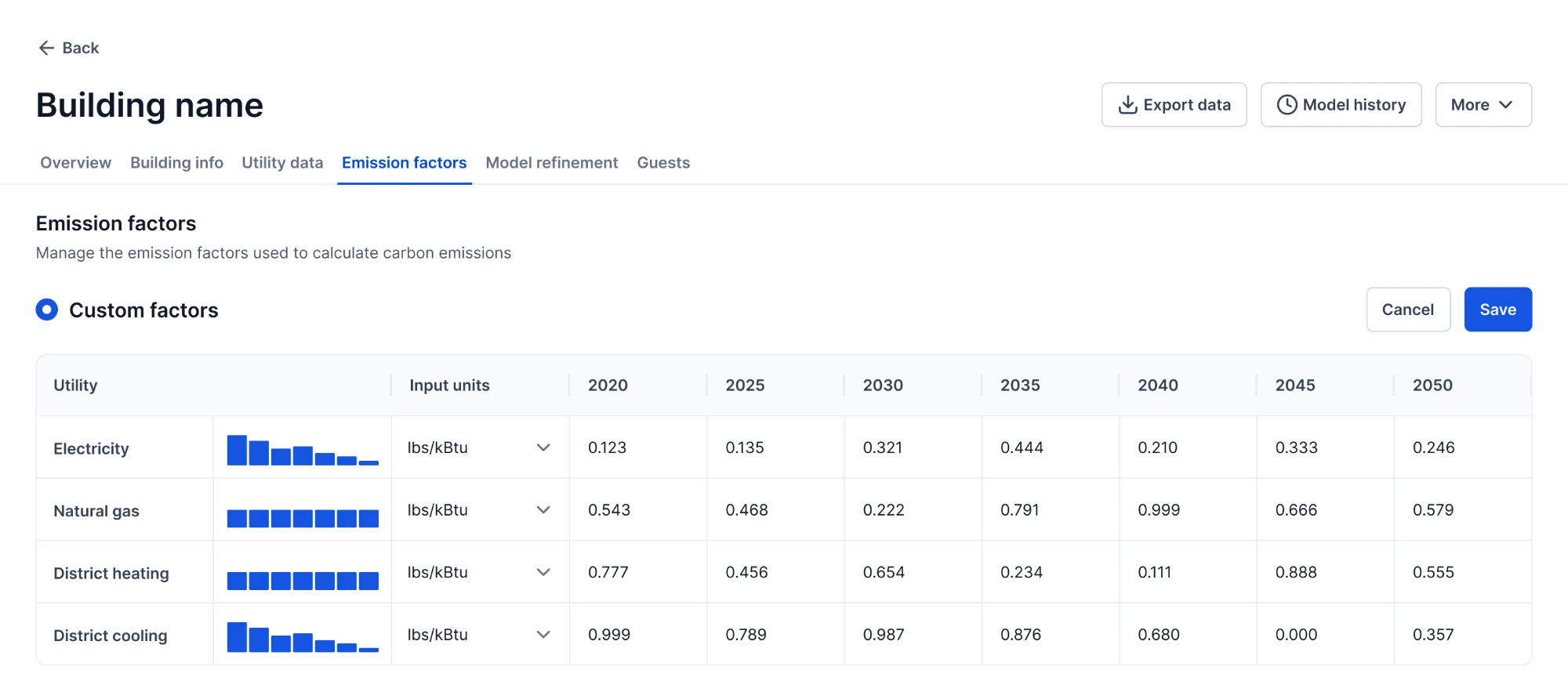
The Emission Factors tab is dedicated to selecting or customizing emission factors.
We’re excited to introduce a set of updates designed to improve data management and make portfolio-level workflows more efficient. These features give you greater control over your building data, streamline portfolio-wide actions, and improve transparency in how models are changed.
Editing Data for Multiple Buildings
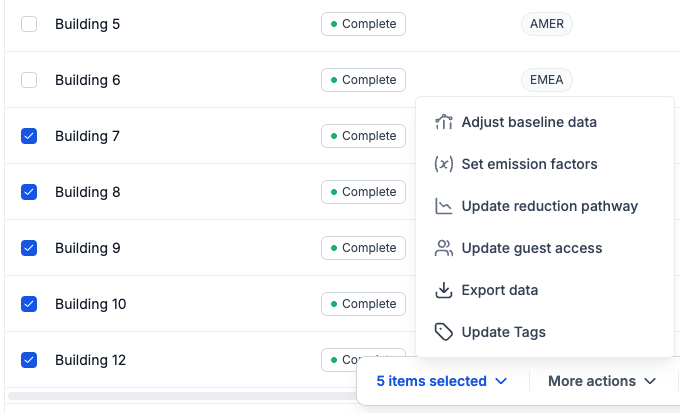
You can now apply actions to multiple buildings in a single step directly from the main Buildings page. For example, you can now set location-based emission factors, adjust interventions, or perform other portfolio-wide actions with ease.
Restore Model Version History
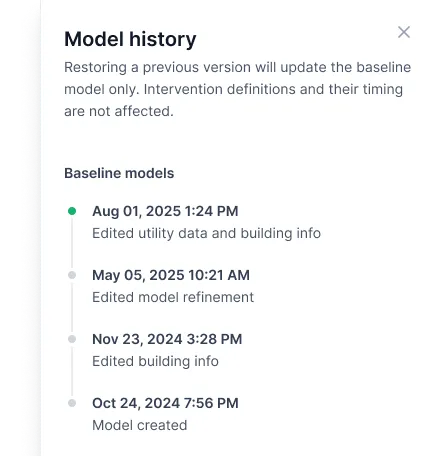
We’ve added the ability to restore previous versions of a building’s baseline energy model directly from the Model History. If you need to revert to an earlier calibration, you can now do so with a single click.
Economizer & Heat Recovery Model Refinement Options
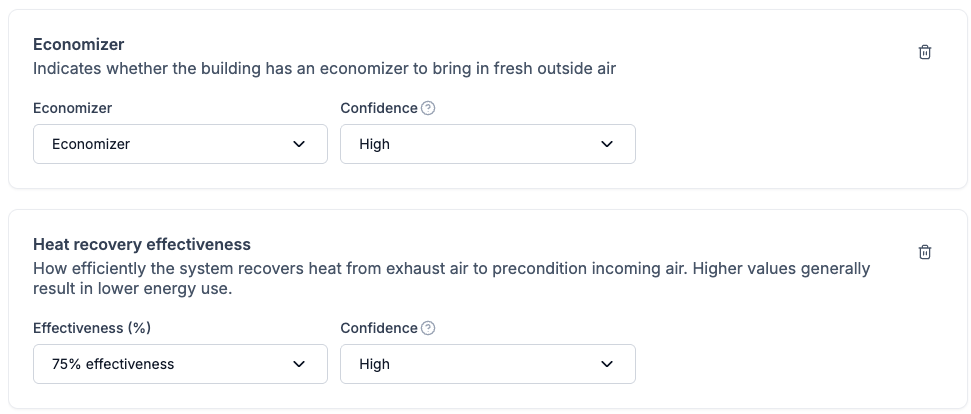
We’ve added greater control over the assumptions in your baseline building by introducing Model Refinement options for economizer and heat recovery.
Other Data Management Improvements
We’ve also made several enhancements to improve the transparency and interpretability of your building data:
Data quality and baseline data source – On the Buildings page, quickly identify which buildings have incomplete data and see which baseline data source (e.g. measured utility data versus modeled performance) is used in the analysis
Gap filling disabled by default – For newly created buildings, gap filling is turned off by default unless the building has no data at all; calibrations rely on measured data whenever possible.
We’re excited to introduce two powerful features that make decarbonization planning even more actionable and tailored to your buildings: Custom Interventions and CRREM Science-Based Targets. We have also made visual improvements to the Characterization Chart.
Custom Interventions
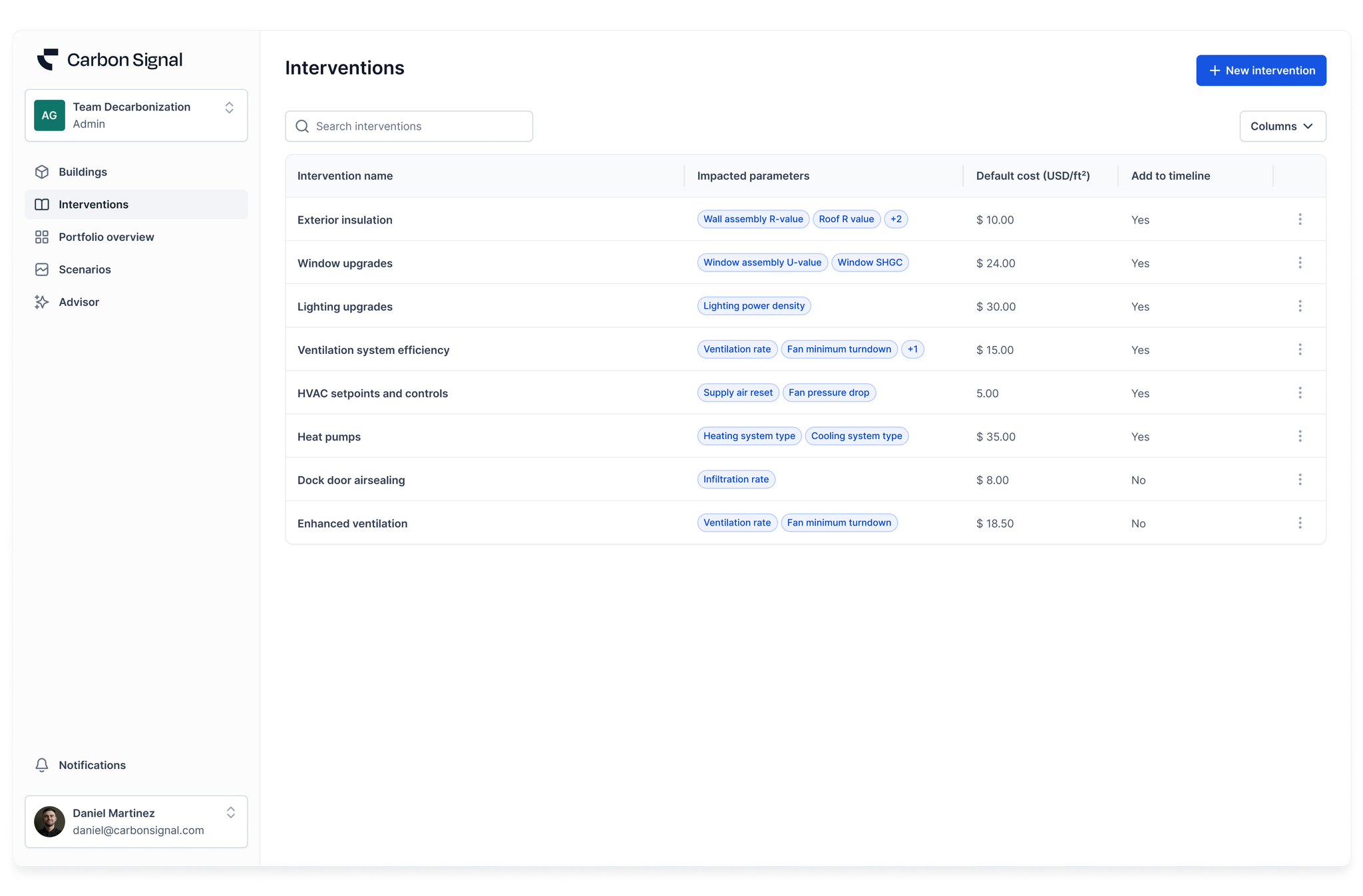
You can now add or remove bespoke decarbonization measures to better reflect the building types and retrofit options most relevant to your portfolio. Whether you’re modeling external insulation for a concrete mid-rise, testing occupancy sensors across retail sites, or excluding envelope upgrades for a logistics facility, this feature gives you precise control over what’s included in each scenario.
The Custom Interventions feature lets you shape the analysis around the interventions that actually apply to your buildings, helping you prioritize actions with more realistic projections.
CRREM Science-Based Targets
We’ve added a new layer of insight to the Building Details page: you can now visualize CRREM science-based decarbonization targets directly on the Decarbonization over Time chart.
This science-based target line is automatically selected based on your building type and location, making it easy to benchmark your building’s energy use and carbon performanceagainst market expectations. It also allows you to assess how modeled interventions influence your path toward alignment with global decarbonization goals.
Improved Characterization Chart
The Characterization Chart now includes a visual representation of uncertainty for each possible value of every model parameter. This gives you clearer visibility into which model parameters are well-constrained, and which have more variability. Whether you are scrutinizing infiltration rates or equipment power density, this feature helps you interpret model behavior with greater confidence and precision.
This release introduces 2 new features: Model Refinement and Time-Based Emission Factors.
Model Refinement
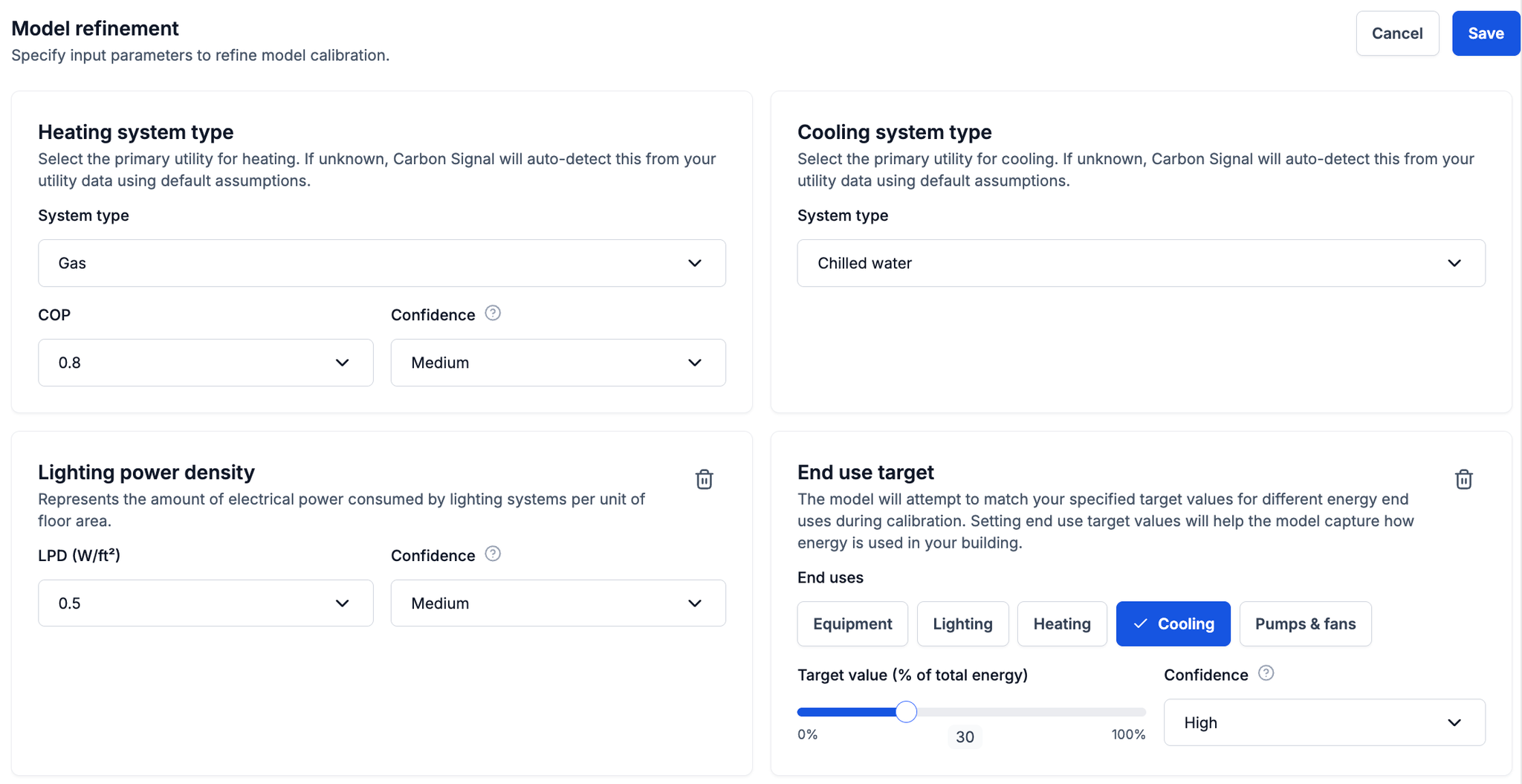
Model Refinement gives you more control over how your building’s energy model works by letting you manually enter details you already know about the building.
For example, you can specify the type of heating or cooling system, describe the current performance of the building’s lighting system, or—if your building is sub-metered—indicate what percentage of energy is used for cooling. These inputs help the energy model reflect real-world conditions, resulting in more accurate and actionable energy and carbon analysis.
Time-Based Emission Factors
Time-based emissions factors are used to model how carbon emissions from building energy use change over time. They account for projected shifts in the energy supply, such as the decarbonization of the electricity grid, which means the same amount of energy use can result in different emissions over time.
By incorporating emissions data from trusted sources like Our World in Data (OWID), CRREM, and NREL Cambium, this feature allows you to see the impact of changing carbon emissions in your building or portfolio, even if no interventions are applied. It supports more informed planning by highlighting how future emissions trajectories affect building performance and long-term decarbonization goals.
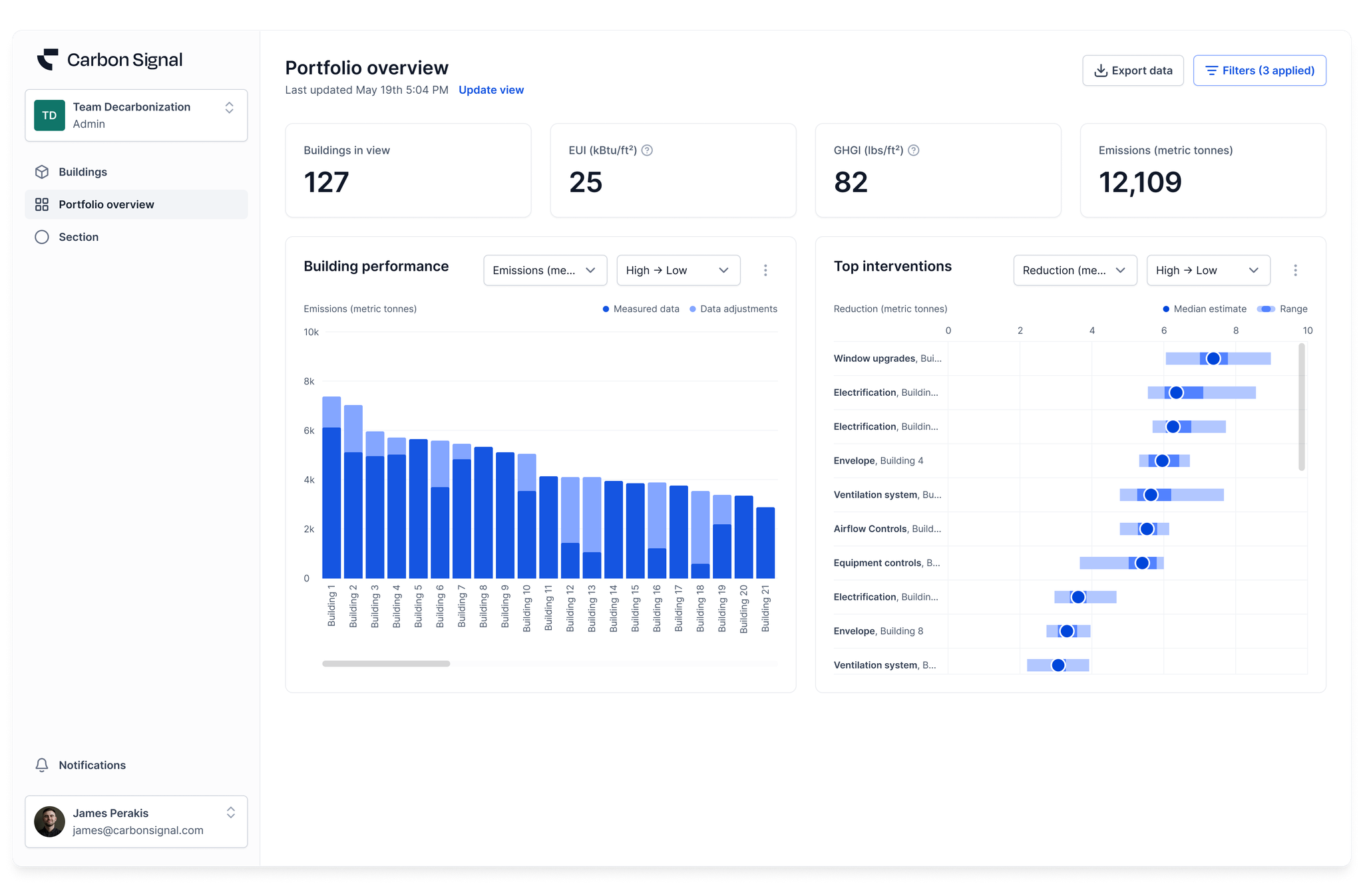
This release introduces a brand new feature: Portfolio Overview.
Portfolio Overview makes it easy to understand trends across your entire building portfolio, helping you quickly identify where to focus your decarbonization efforts. With this release, two widgets are immediately available:
Building Performance: Visualize and compare buildings in your portfolio using metrics like Energy Use Intensity (EUI) or absolute emissions. This widget helps surface buildings that may require attention, especially in jurisdictions with regulations such as New York’s Local Law 97.
Top Interventions: See which decarbonization interventions have the biggest impact across your portfolio. Interventions can be ranked by metrics like total emissions reduction or emissions reduced per dollar invested, helping you identify the most cost-effective opportunities to prioritize.
To curate the view, you can use our advanced filtering capabilities to segment your portfolio and uncover targeted insights. For example, you can highlight buildings above a certain size in a specific region or isolate those subject to reporting requirements based on annual emissions thresholds. These filters help you get the most value out of your Portfolio Overview by focusing your analysis where it matters most.
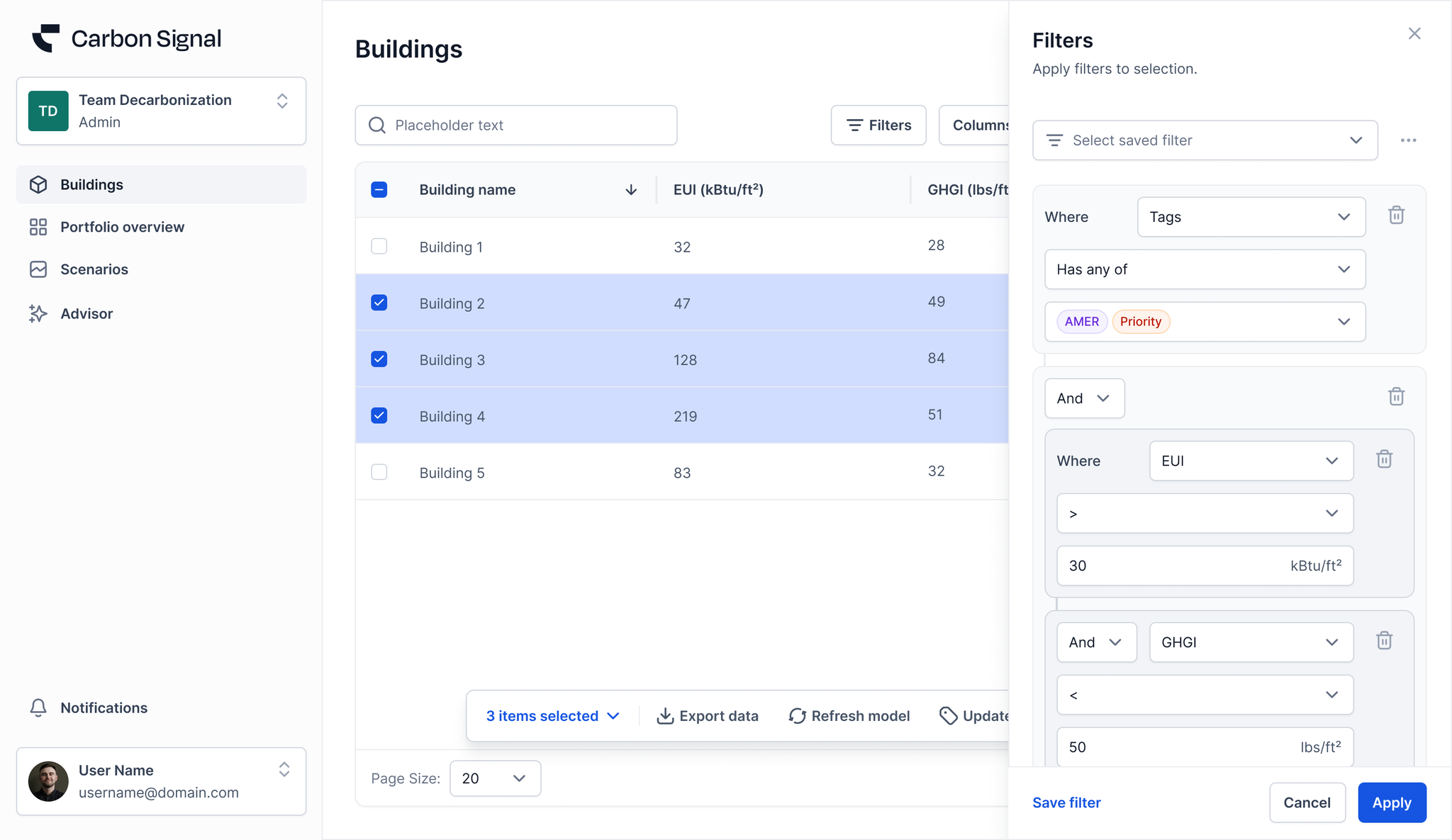
This release includes major enhancements to building filtering and export capabilities, giving users greater flexibility in portfolio analysis and decarbonization planning.
Advanced Filtering Enhancements
You can now filter your building dataset with powerful logic-based combinations, enabling faster insights and streamlined workflows. Using AND/OR logic, you can filter your buildings with multiple criteria simultaneously, including emissions and energy use intensity.
Whether you’re preparing your buildings for regulatory requirements or aligning with carbon reduction targets, advanced filtering provides the ability to segment, prioritize, and compare buildings across your portfolio.
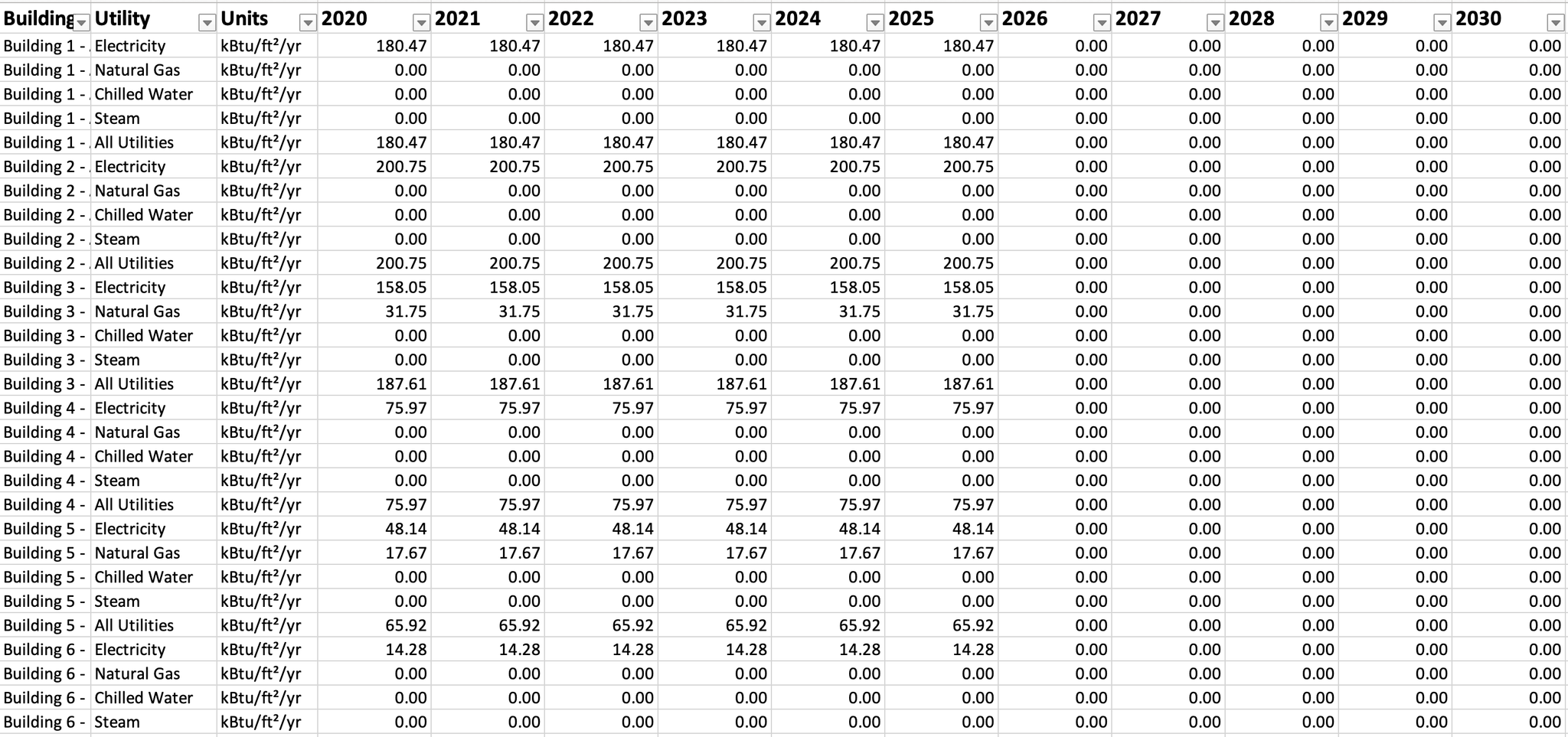
Multiple Building Export
You can now export year-over-year utility data for multiple buildings at once, aligned with the Decarbonization Over Time timeline.
This enhanced export can simplify portfolio-wide reporting and planning, and allow for seamless integration with your internal tools.
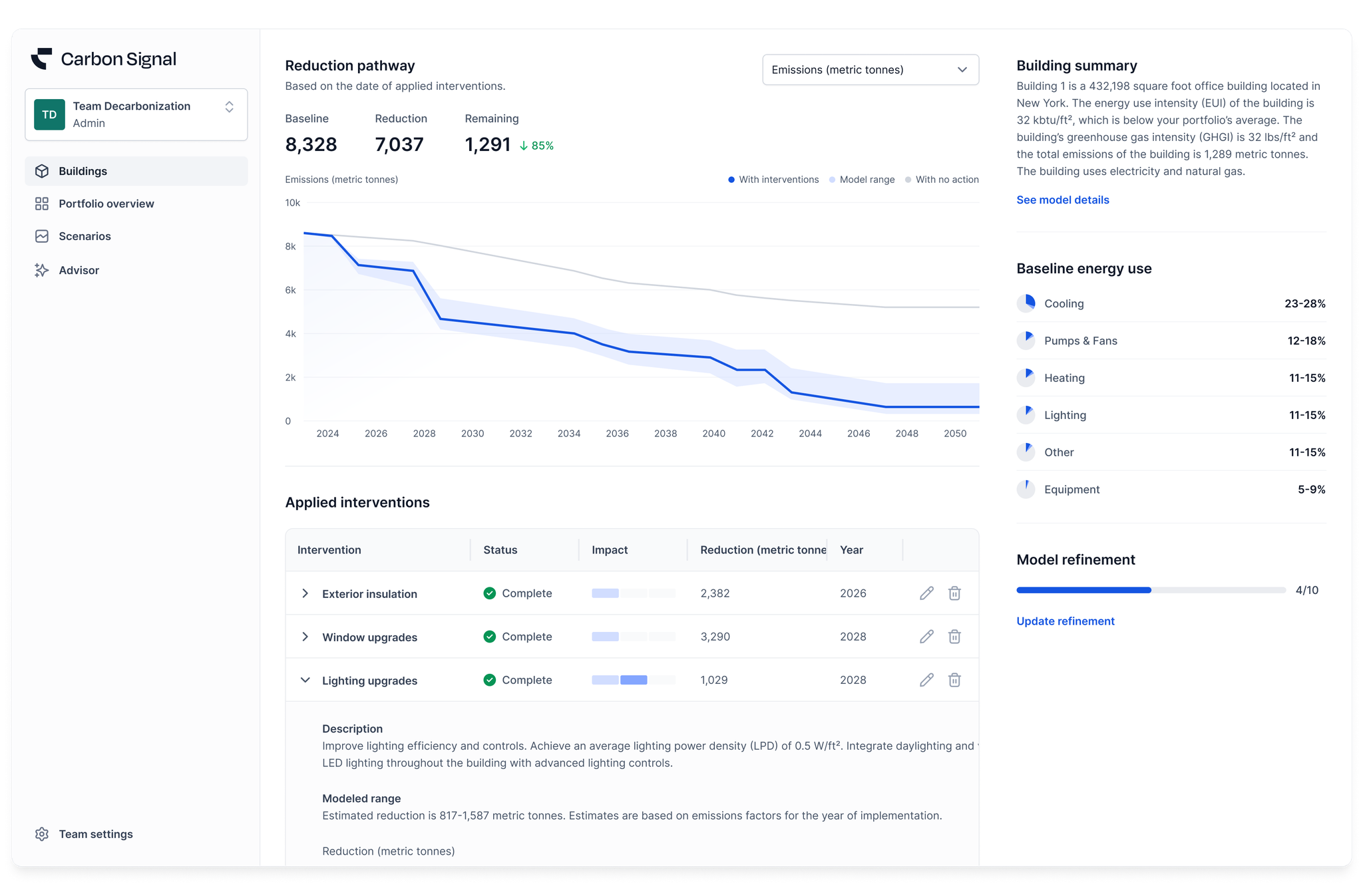
This release includes major speed enhancements and introduces an entirely new feature: Decarbonization Over Time.
First, we’ve significantly improved the calibration process, reducing the model creation time to under one minute. These performance gains enable a seamless experience with the new Decarbonization Over Time feature, which supports long-term planning by aligning retrofit interventions with optimal implementation timelines.
This will allow users to create more accurate and strategic capital budgets. Over time, we’ll be adding support for more detailed financial analysis as we continue to develop the Decarbonization Over Time feature.
This release incorporates significant improvements to Carbon Signal’s analysis engine that rapidly improves the speed at which models are created. What once took around 5 minutes, the improvements will now allow for models to be created in 1 to 2 minutes!
These analysis engine changes will improve the current user experience and also unlock the full potential of future features.
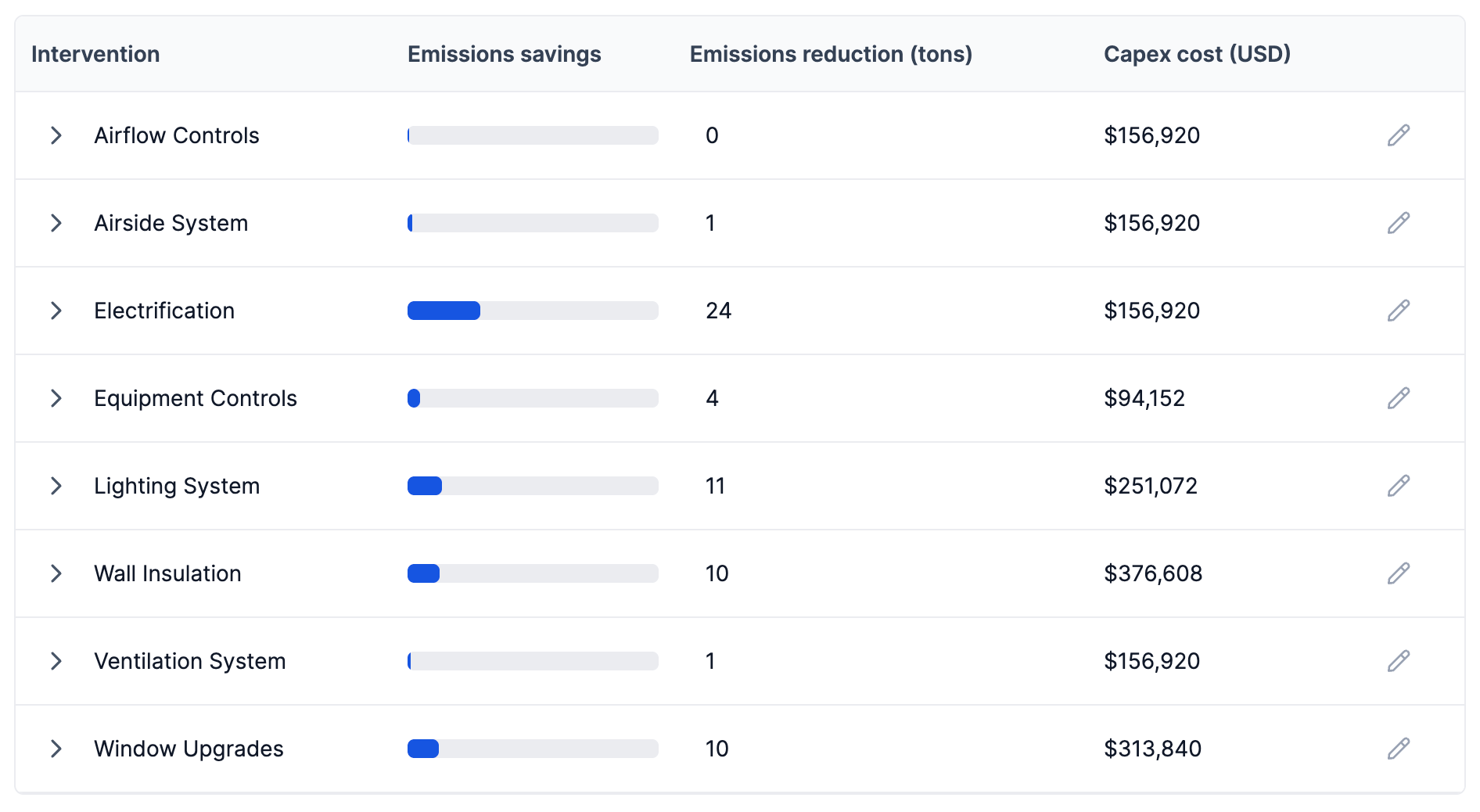
On the main Buildings page, the interventions table has been visually updated to make it easier to compare interventions and identify those with the greatest impact.
This release represents a large redesign with many new and enhanced features. We’ve introduced an entirely new site architecture designed to make it easier to organize your data and review analysis results and incorporated speed enhancements that make it faster to build and edit models.
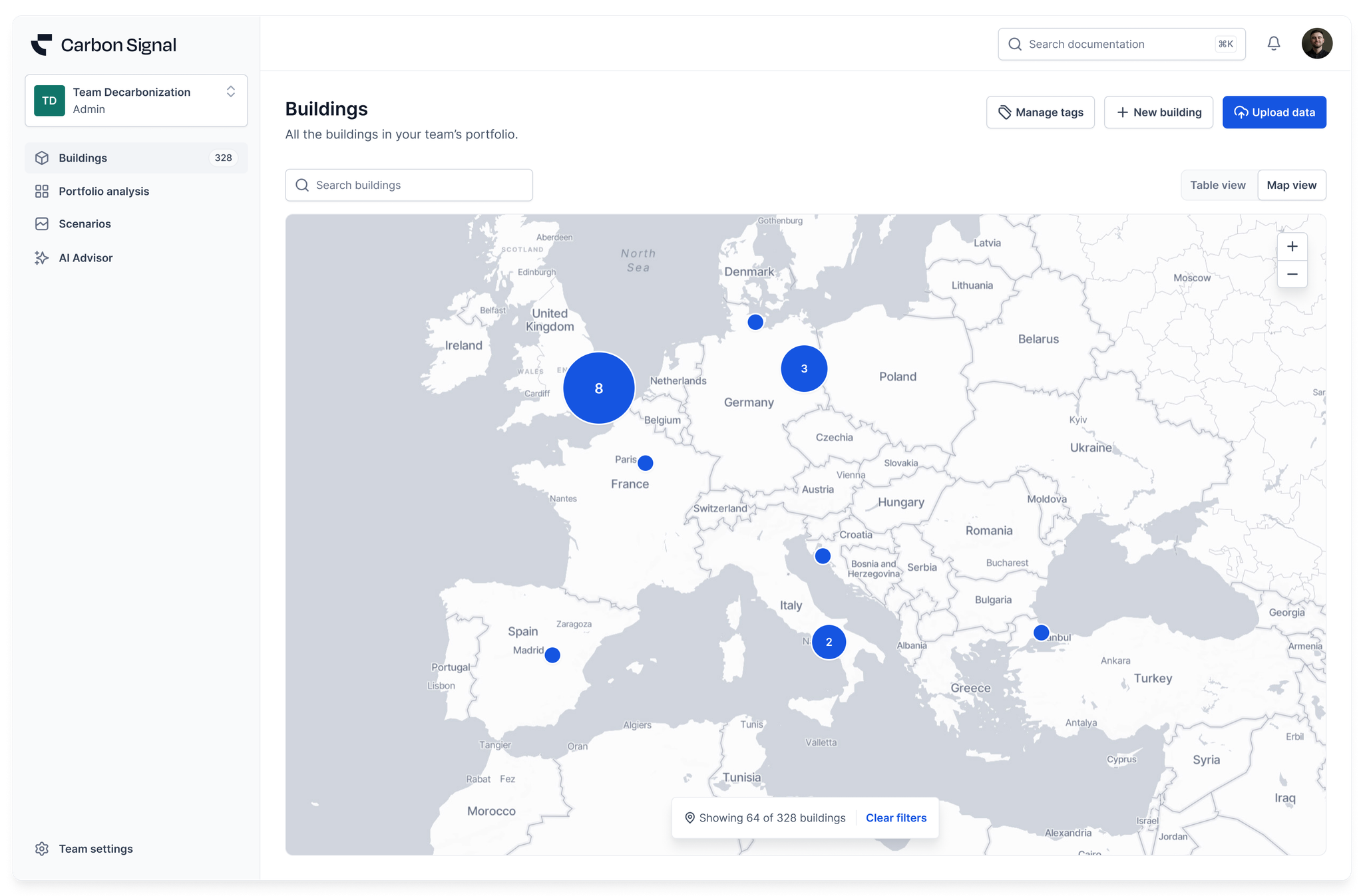
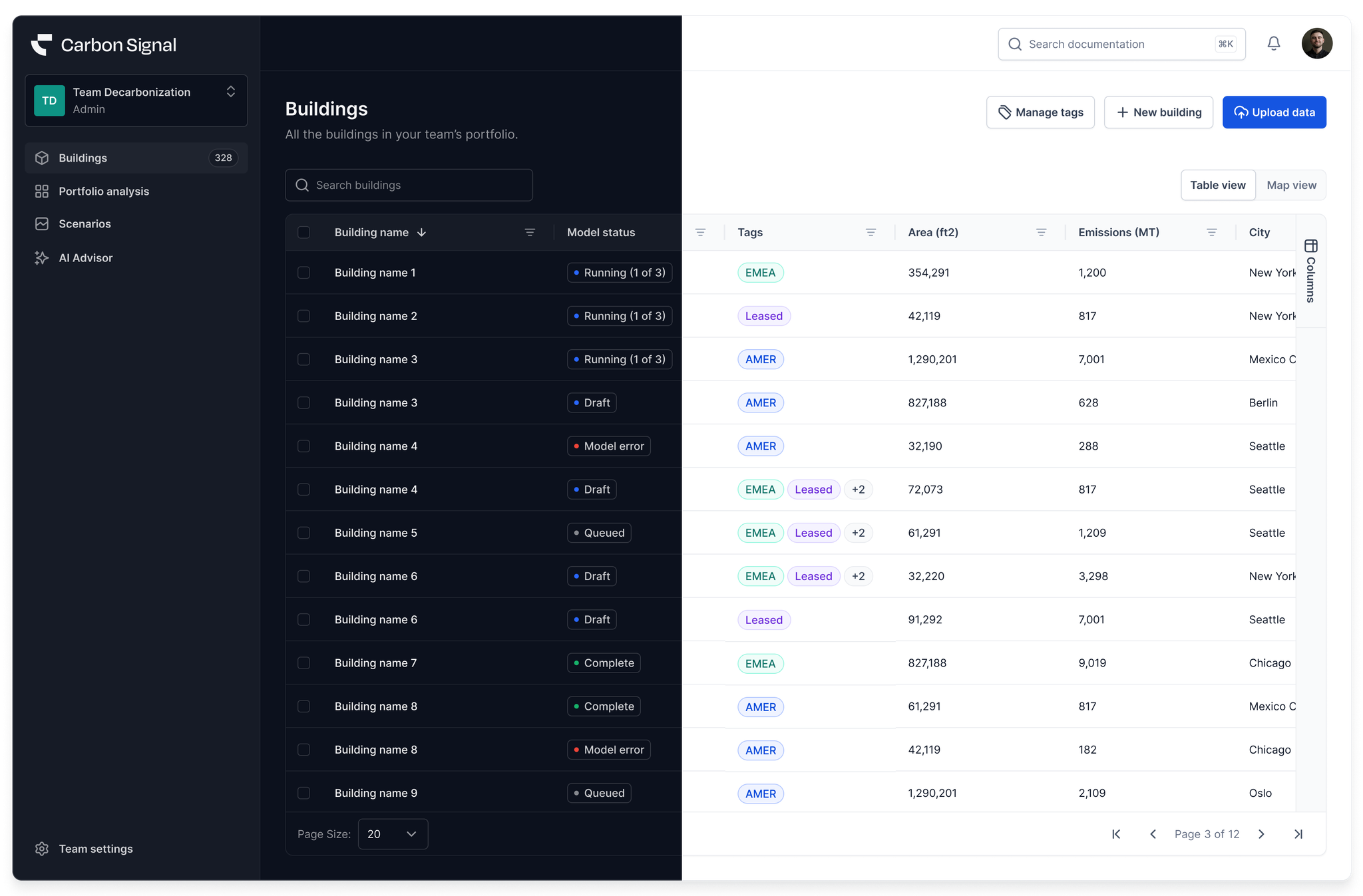
The site architecture redesign includes a new Buildings page, now with a map view of your data and enhanced functionality related to assigning and editing building tags.
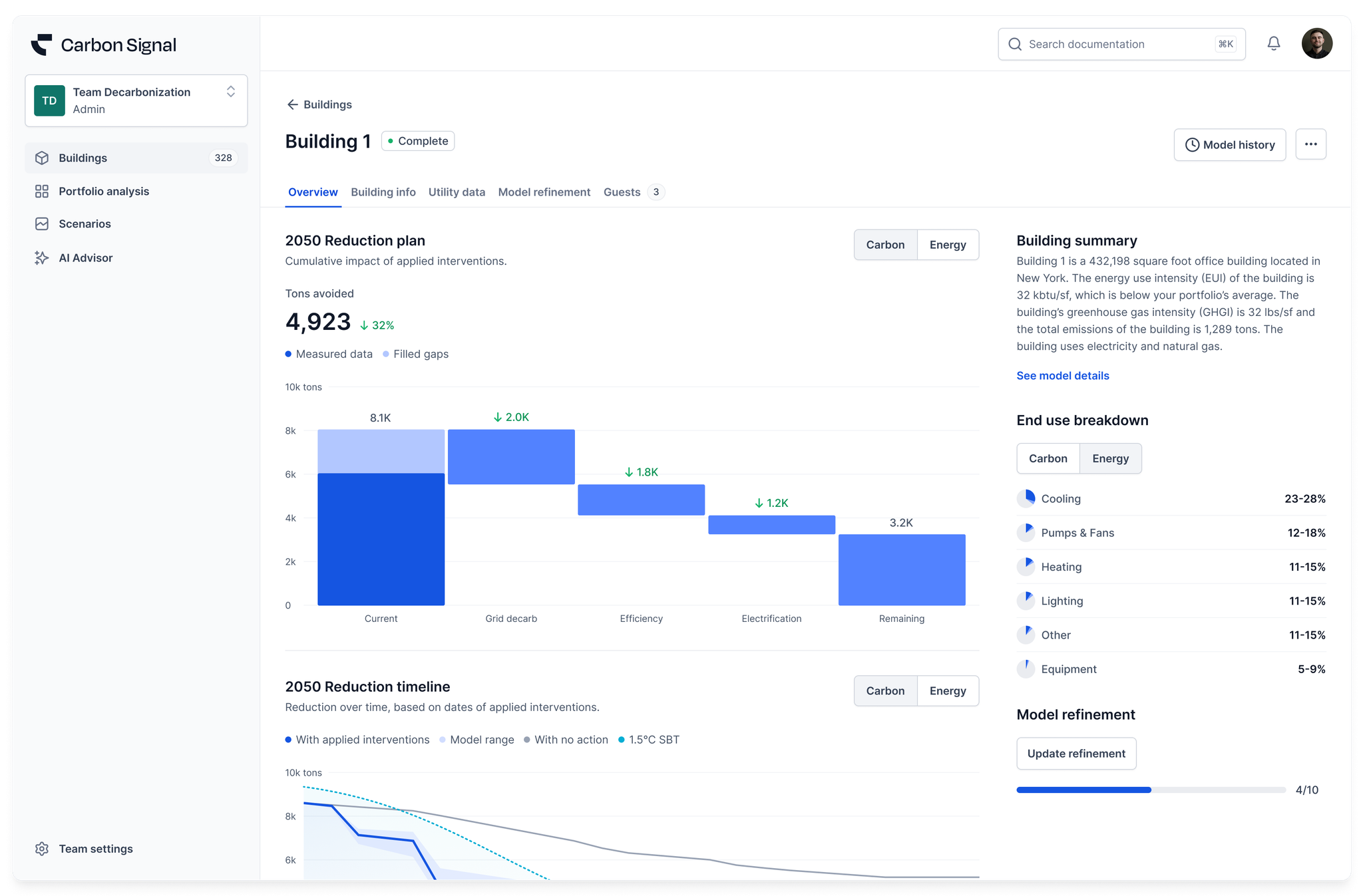
We’ve also given the building details its own page so that you can see both baseline information and the impact of interventions in the same view.
We’ve also added a feature where, after uploading your buildings, you can see a draft analysis in less time. This allows you to review the baseline building data before finalizing the model and simulating the interventions. Once the model has been finalized, you can see the full analysis for the building, including the impact of applied interventions.
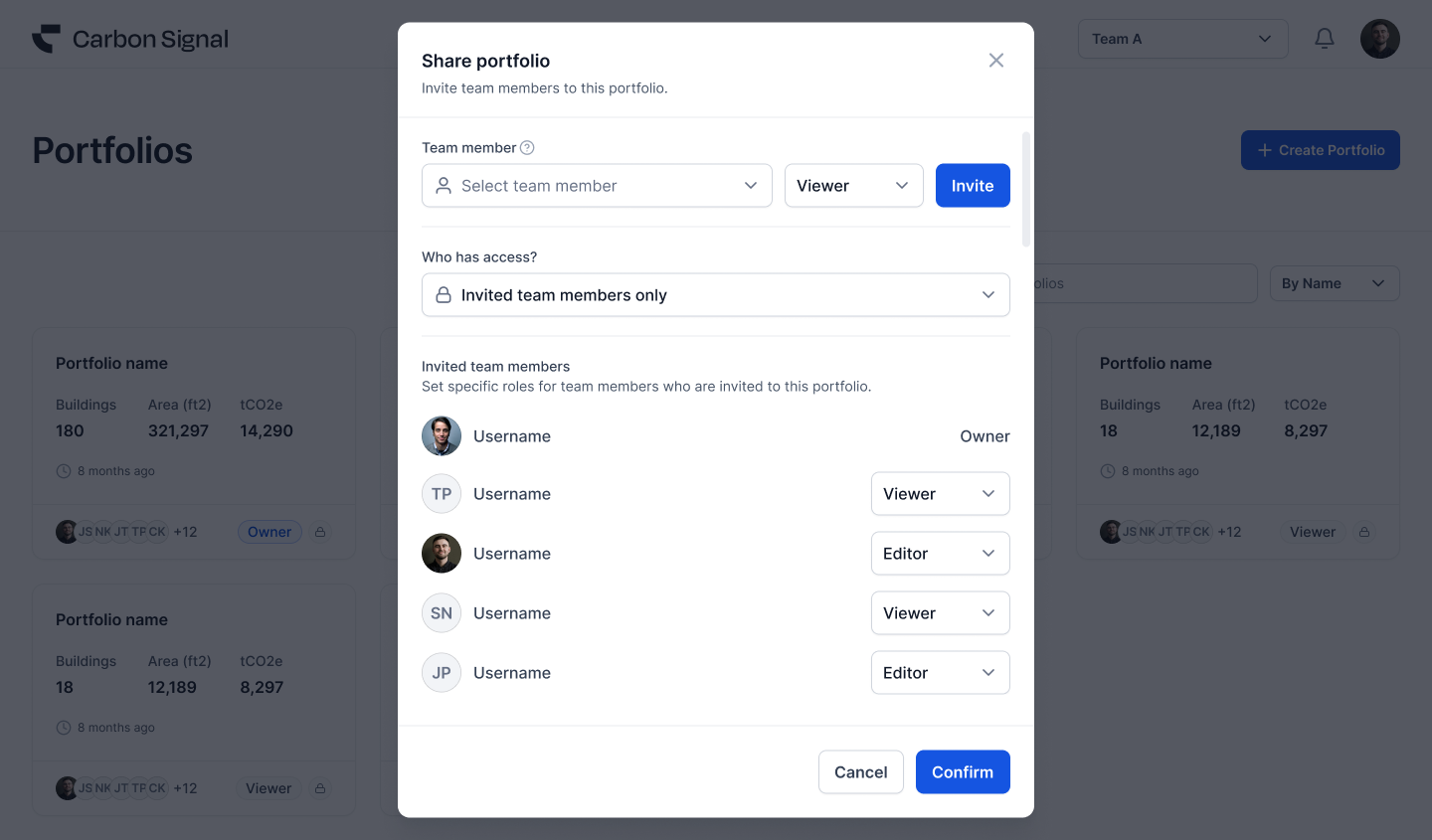
In addition, we’ve created a new framework for permissions, providing more granular control over who can view and edit individual buildings. There is a new Team role - Guests, who are only allowed to view specific buildings in your portfolio. Access privileges for Guests are controlled at the individual building level.
Finally, we incorporated some cosmetic upgrades, including a new dark mode, to give you more control over how you view your data.
This release incorporates improvements to Carbon Signal’s analysis engine that increase diversity in the model ensemble - variations in characteristics that describe a building’s existing conditions. These changes will help capture uncertainty in our projections and improve the quality of our analytics.
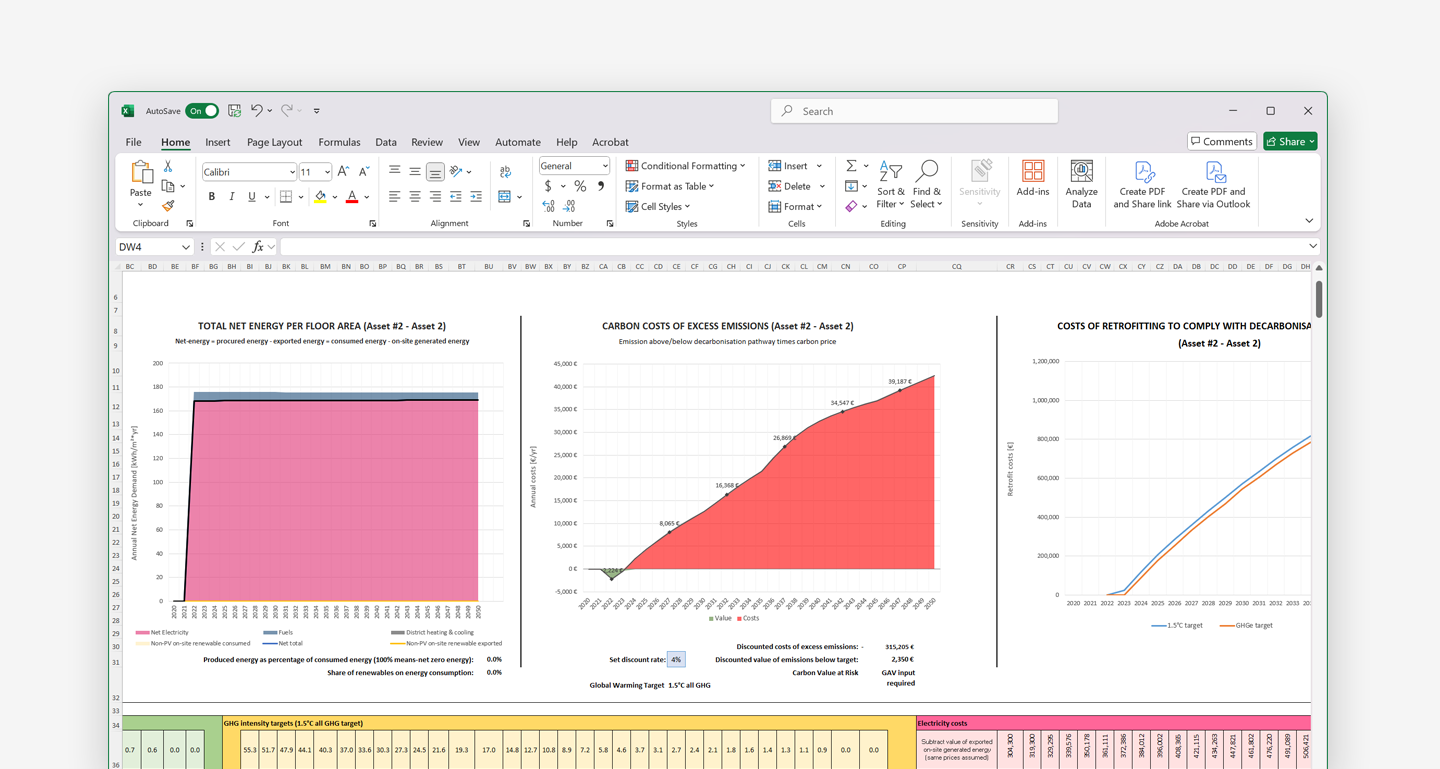
The Carbon Risk Real Estate Monitor (CRREM) is an initiative to help building owners align their decarbonization plans with science-based emissions targets. Starting with this release, customers will be able to build decarbonization scenarios in Carbon Signal and export the information in CRREM’s Carbon Risk Assessment Tool.
We’ve also made a number of significant improvements to Carbon Signal’s modeling capabilities, with customers now able to automatically fill gaps in their utility data. This feature will be enabled for all new models - older models will require a recalibration.
Lastly, customers should now experience much faster loading times for model results and scenarios, especially for large portfolios.
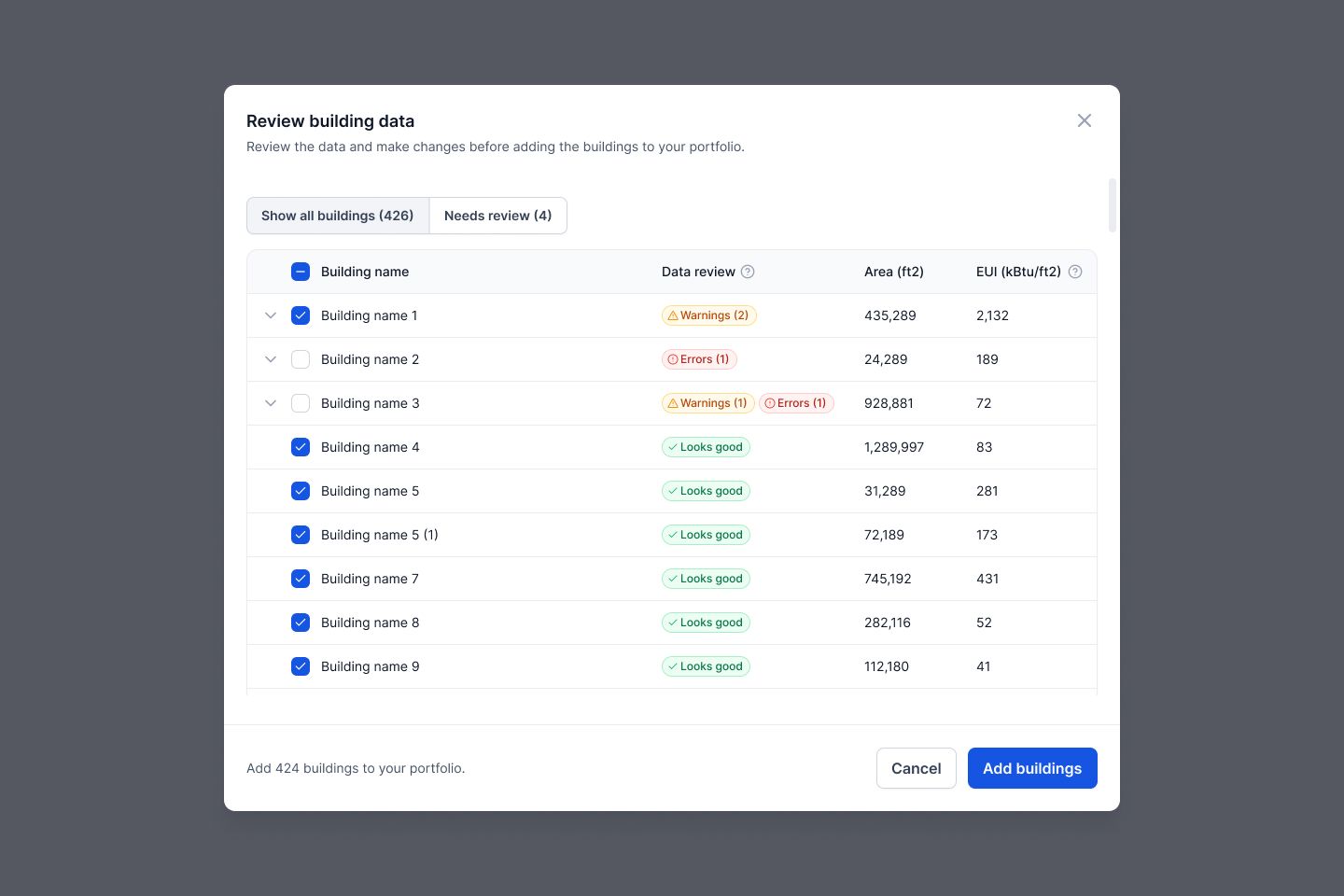
In this release, we enhanced the experience of uploading data with the spreadsheet template, by adding more data validation within the spreadsheet to prevent input errors and an additional validation step after uploading the spreadsheet. This data validation step will alert users if there are any buildings with missing information, inaccurate information, or building names that match existing records in the Portfolio.
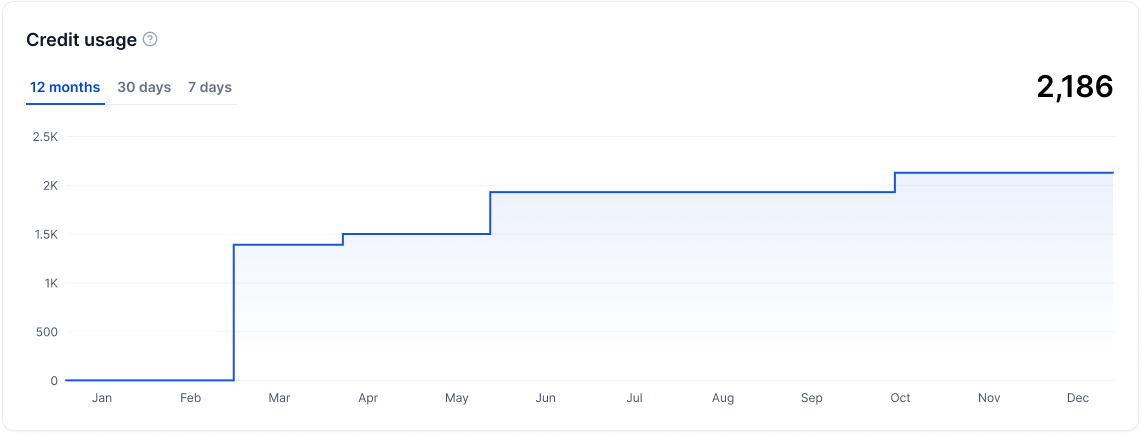
Also, users now have the ability to track their usage of compute resources. In Team Settings, the Credit Usage graph displays how many credits the team has consumed over the last 12 months, 30 days, or 7 days.
Finally, we added the ability to cancel models. If you’ve made a mistake editing data, or uploading the wrong information, you can now cancel the model to prevent unwanted credit usage and to make it easier to recover from mistakes. We also fixed several bugs related to calculating the median from a probability distribution when measuring energy and carbon savings from each intervention. This will help improve the accuracy and reliability of our predictions.
We fixed a number of bugs to improve the stability of the application and made it easier for users to see the progress of model simulations. Specific enhancements include:
Added Pusher so that users see progress bars on the Building Data and Scenarios pages as models are simulated.
Changed how savings are displayed when an intervention results in an increase in energy use or emissions. We now show zero savings instead of negative values.
Fixed issues with the Building Data table, improving the way pagination works and adding the ability to sort and filter by different metrics.
Automatically send SSO login details to users when SSO is enabled for their accounts.
We’ve streamlined the way permissions are handled on Carbon Signal at the Team and Portfolio levels. At the Team level, there are three types of permissions (Owner, Admin, and Member) that control which users have access to Team administrative functions. The Portfolio level permissions offer more specific control over which users have access to certain Portfolios.
This release also contains a number of important bug fixes including:
Fixed bugs that were blocking the ability to edit energy data from within the application.
Added axis labels on all graphs and tooltips on terms that require explanation.
Incorporated copy to explain Performance Characterization, Scenarios, and Model Results.
Connected the application to a stable version (v2.0.0) of the engine.